9
English
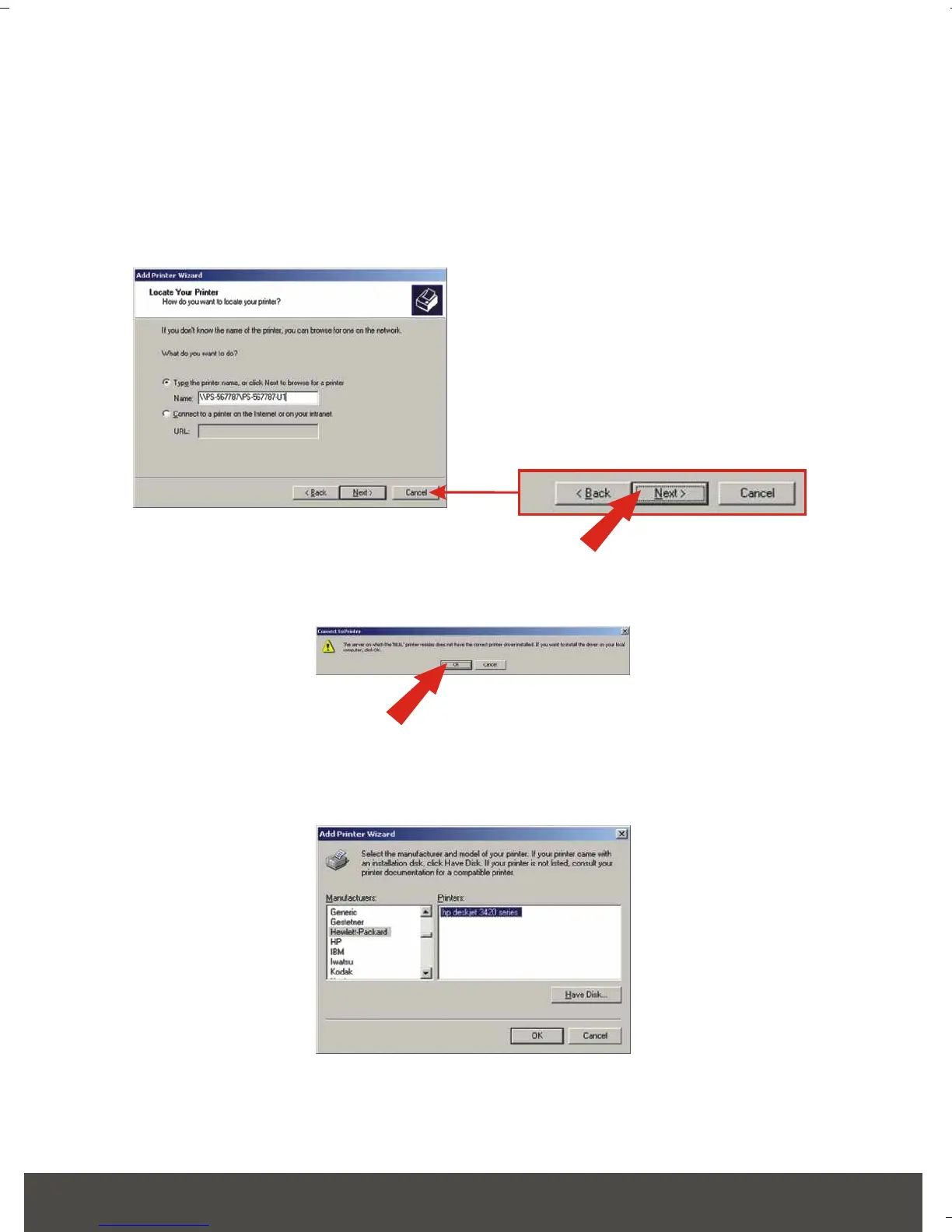
6. Click the option that allows you to type the printer’s name. Type the server
name and the printer name in the following format: . For example, if you
connected a USB printer to the USB1 slot, then you would type \\PS-
567787\PS-567787-U1 with NO SPACES in between them. Click Next.
7. Click OK.
8. Select the appropriate driver for your printer.






 To Next Page