8
English
5. Add the Network Printer to your PC
1. For Windows 2000/XP, Click Start Control Panel.
For Windows 95/98/ME, Click Start Settings Control Panel.
2. Double-Click the Printers and Faxes Icon.
3. Click or Double-Click Add Printer.
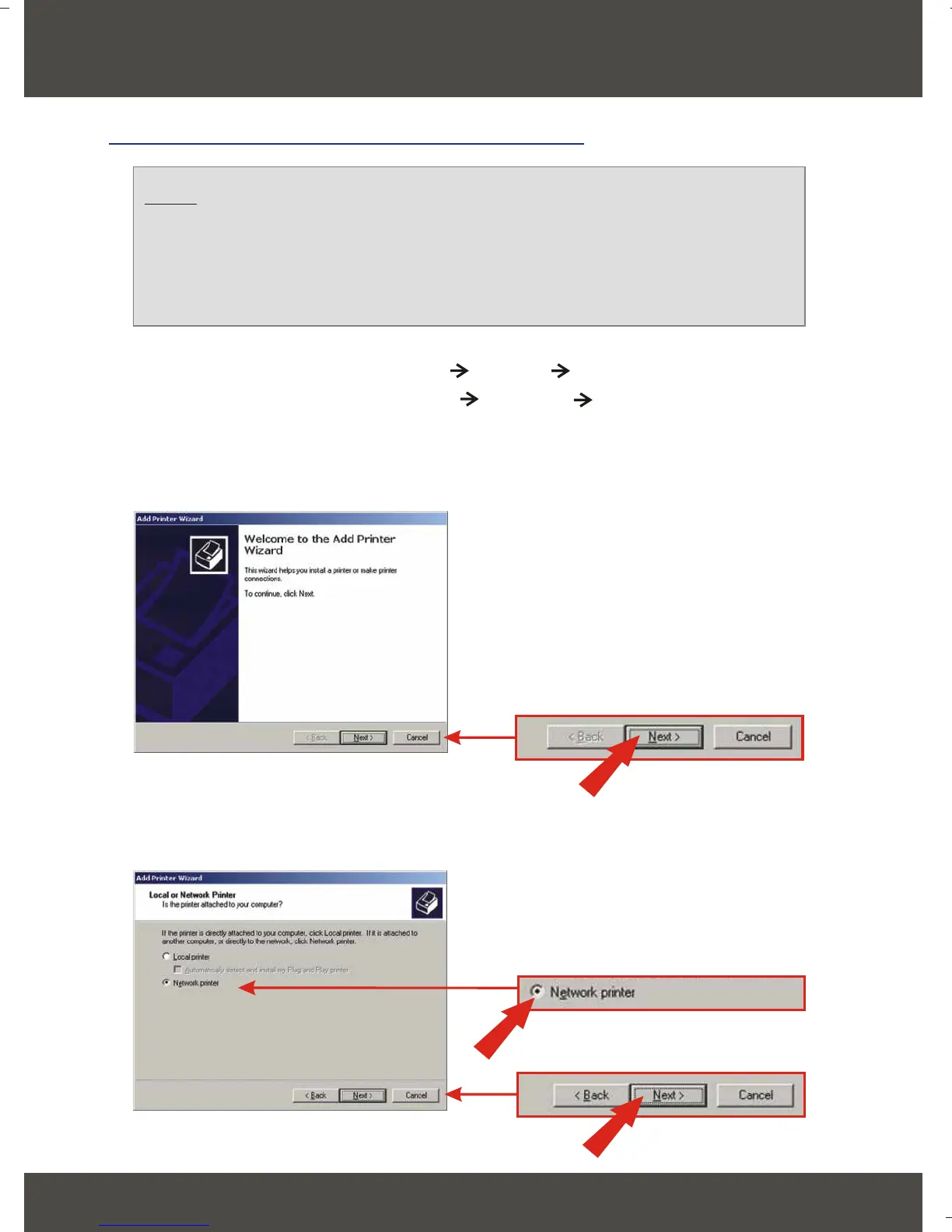
4. Click Next.
5. Select Network Printer option and click Next.
Note: If you are using Windows 95/98/ME, then make sure that
NETBEUI is installed before you follow the instructions below. If you are
using Windows 2000/XP, then you can simply add your printer using the
instructions below. For TCP/IP Printing instructions, please consult the
User’s Guide on the CD-ROM for details.
For Windows 95/98/ME/2000/XP






 To Next Page