7
English
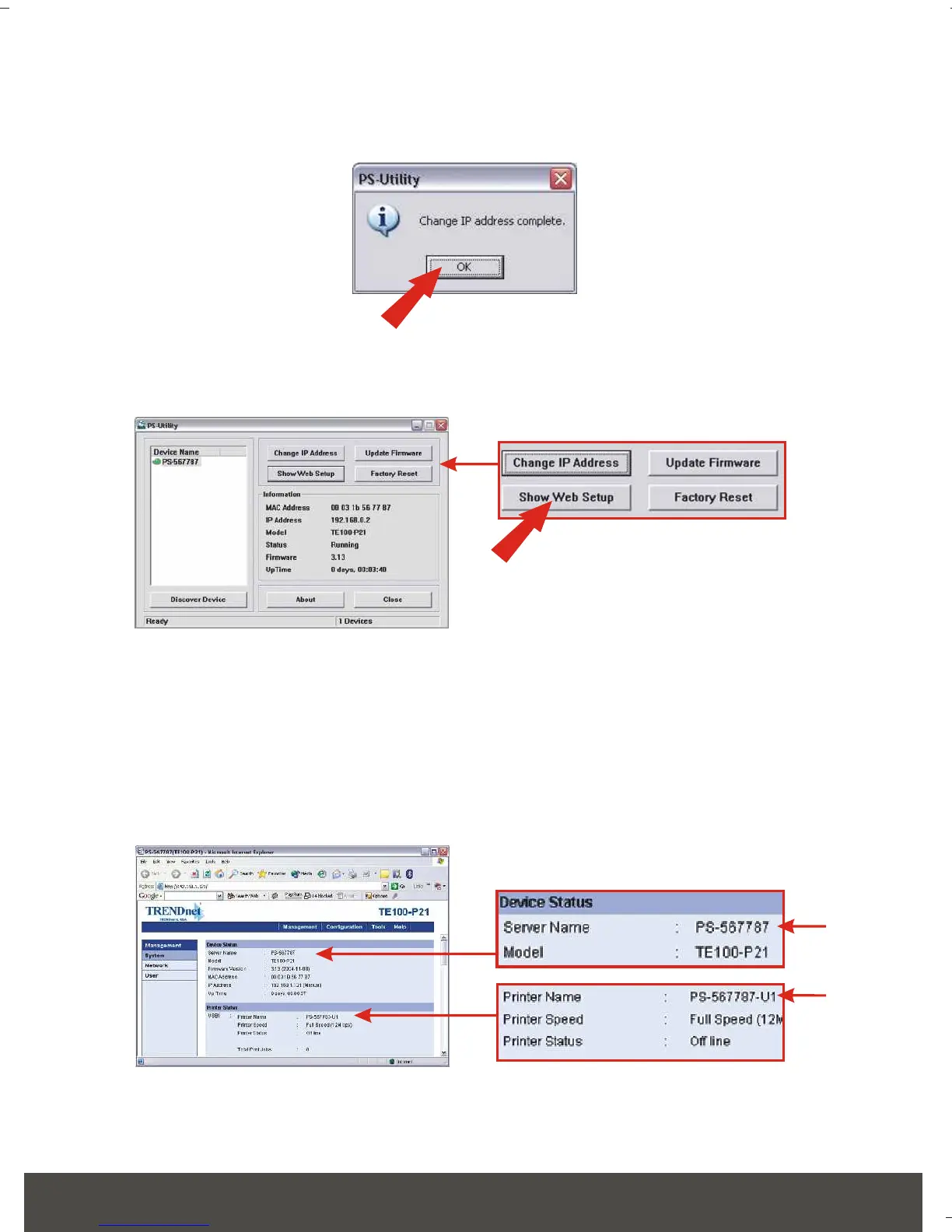
10. Click OK.
11. Click Show Web Setup.
12. Please take note and write down the Server Name and the Printer Name.
If you connected a USB printer to the USB1 slot, use the Printer Name
that is by the USB1 heading in the web configuration utility. If you
connected a Parallel printer, use the Printer Name that is by the LPT3
heading in the web configuration utility.
Print Server's configuration is now complete. For detail information, please
check the User's Guide that's included on the CD-ROM.






 To Next Page