20
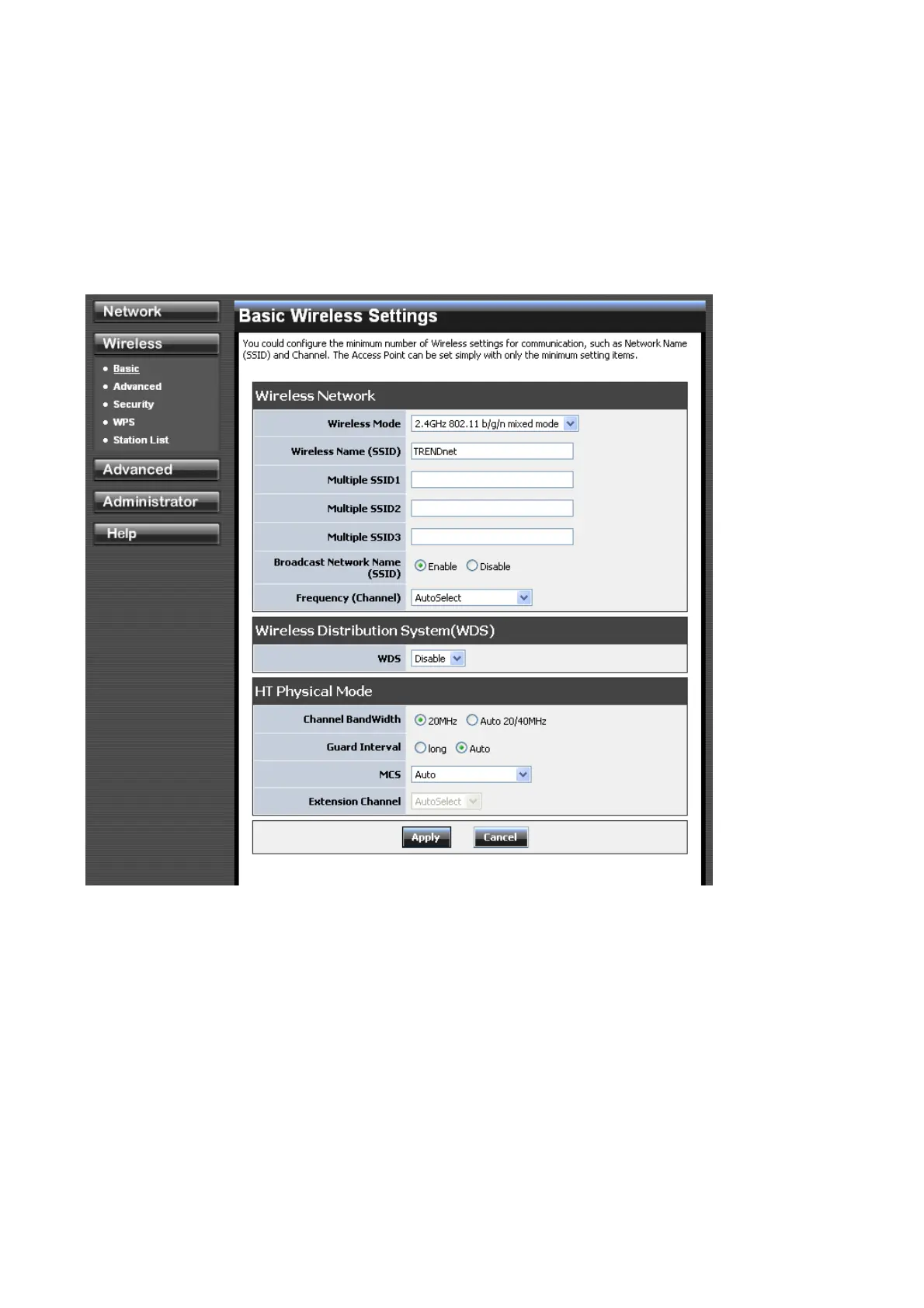
4.2 Wireless
4.2.1 Wireless: Basic
Radio On/Off
This indicates the wireless operating status. The wireless can be turned on or off by the slide
switch. When the radio is on, the following parameters are in effect.
Wireless Mode
If all of the wireless devices you want to connect with this router can connect in the same
transmission mode, you can improve performance slightly by choosing the appropriate wireless
mode. If you have some devices that use a different transmission mode, choose the
appropriate wireless mode. The TEW-691GR supports 2.4GHz wireless networks. There
are many different configuration options available to choose from. Use the drop down list to
select the wireless mode.














 To Next Page