- 6 - Rev. 1.00.2.1.63
Section 2.3.3 Setup instructions for Windows Me
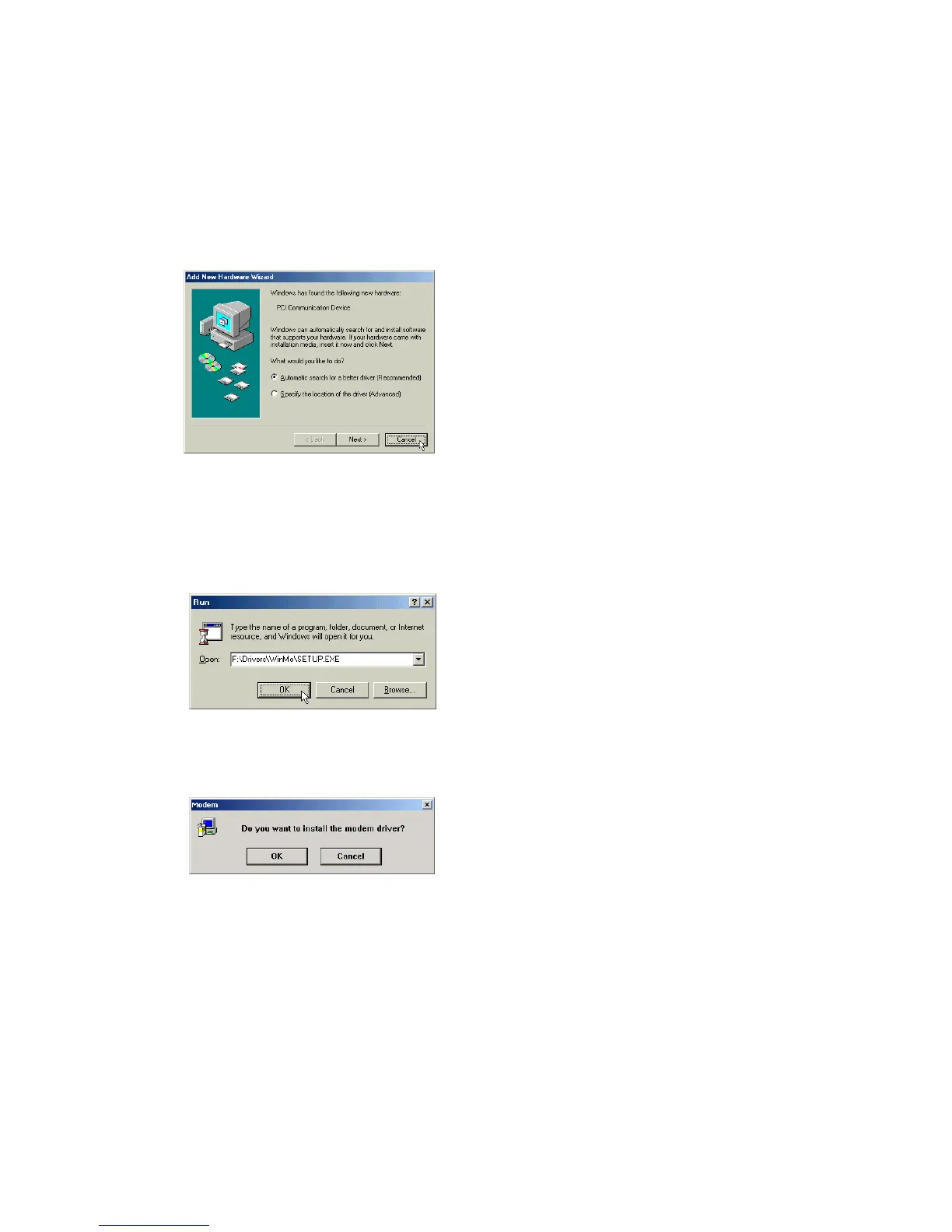
STEP 1. After you complete the modem hardware installation and turn on your PC, Windows system will
automatically detect and install your new added devices. Windows system will prompt you with an
Add New Hardware Wizard.
Click on Cancel.
STEP 2. Insert the Modem Driver CD-ROM disk attached with your modem into the CD-ROM drive device,
then run <CD-ROM letter>:\drivers\WinMe\SETUP.EXE to upgrade the modem driver as shown
in figure.
Then click on OK.
STEP 3. And then, a prompt screen will ask you to ensure to install the modem driver.
Then click OK.
The setup utility will copy the needed files into windows system.
STEP 4. If there is no error message while the system is installing, your modem has been set up properly
and functionally.



 To Next Page