- 7 - Rev. 1.00.2.1.63
Section 2.3.4 Uninstall Modem from Windows Me
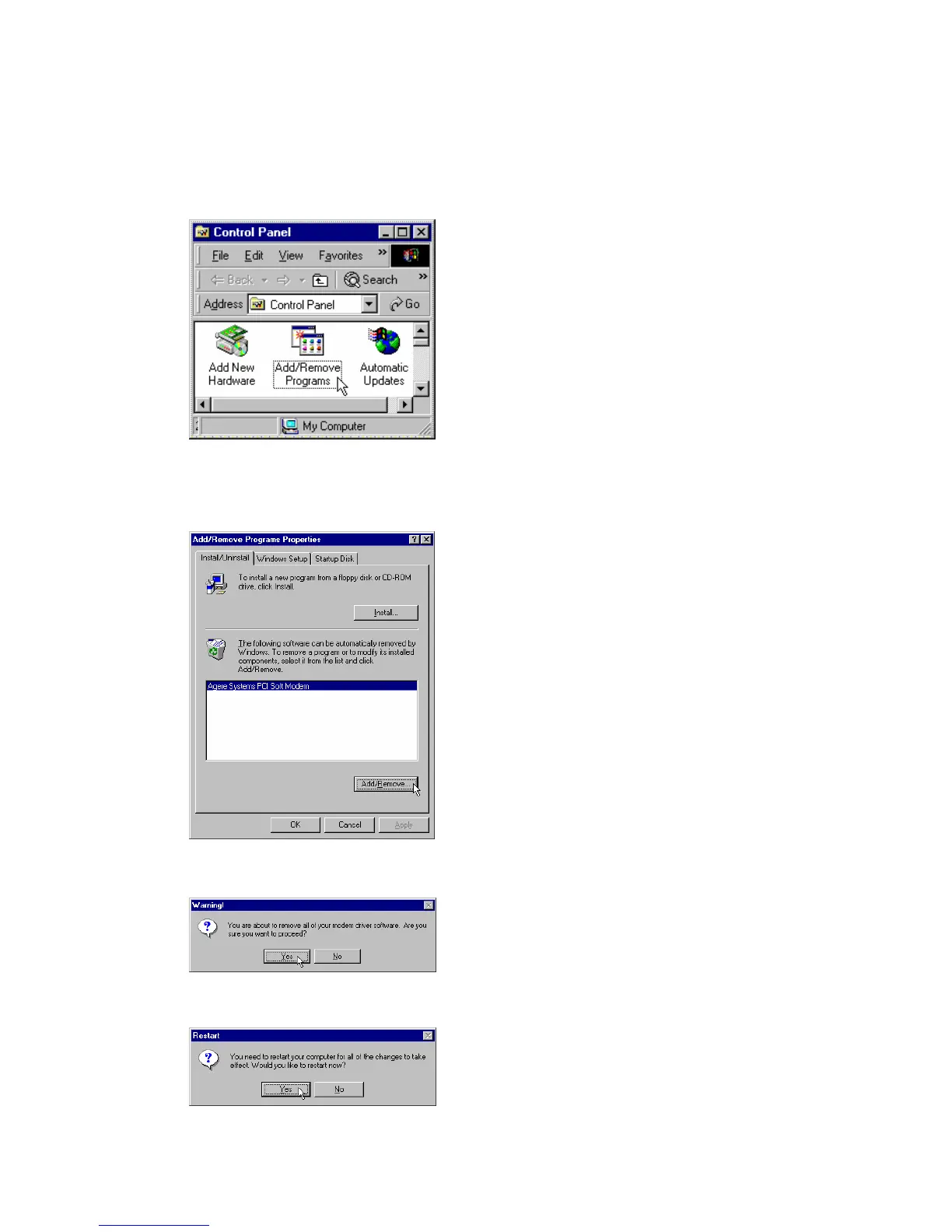
STEP 1. Open Control Panel window, then click on Add/Remove Programs icon.
STEP 2. Choose Agere Systems PCI Soft Modem device in Install/Uninstall tab, then click on
Add/Remove...
STEP 3. Click Yes to ensure to remove Agere Systems PCI Soft Modem device and its drivers.
STEP 4. Click Yes to restart your computer for all of the changes to take effect.



 To Next Page