
 Need help?
Do you have a question about the TRENDnet TPE-1620WS and is the answer not in the manual?
Overview of the TPE-082WS model, detailing its hardware features.
Overview of the TPE-1021WS model, including hardware features.
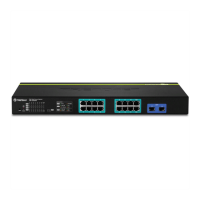
Overview of TPE-1620WS v2/WSF, detailing hardware features.
Overview of the TPE-2840WS v2 model, including hardware features.
Overview of the TPE-5028WS model, including hardware features.
Overview of the TPE-5240WS model, including hardware features.
Overview of the TPE-5048WS model, including hardware features.
Overview of the TPE-30284 model, including hardware features.
Instructions for desktop and rack mount installation of the switch.
Guides through initial switch setup for cloud or local management.
Steps for initial IP configuration and connecting devices.
Steps to access the switch's web management interface and dashboard.
Configure switch name, location, contact info, and system settings.
Configure switch IPv4/IPv6 address settings, VLAN assignments, and DNS.
Manage IP access lists, user accounts, and secure access protocols.
Configure system logs and SNMP for network monitoring and management.
Configure physical port parameters like speed, duplex, and flow control.
Configure Spanning Tree, MST, VLANs for network topology and traffic management.
Configure IGMP/MLD Snooping, Multicast VLANs, and LLDP.
Maintain high quality, uninterrupted voice traffic through the switch.
Configure CoS, DSCP, and Scheduling Algorithms for traffic prioritization.
Configure PoE settings, power budget, time ranges, and device checks.
Configure port security, MAC address, and 802.1X authentication.
Configure RADIUS and TACACS+ servers for network authentication.
Configure MAC filters, DoS prevention, DHCP snooping, and ARP inspection.
Define traffic filtering rules using ACLs for network security.
Upgrade firmware, backup/restore configurations, and manage auto-updates.
Perform cable diagnostics, reboot, ping tests, and watchdog functions.
Install and use the TRENDnet Web Smart Switch Management Utility.
Common installation issues, finding IP/MAC addresses, and network connectivity checks.
Statements on FCC interference and RoHS compliance.
Details TRENDnet's warranty terms, conditions, and procedures.
 Power
Power| input voltage | 100 - 240 V AC |
|---|---|
| power consumption | 198 Watts (Max) |
| PoE budget | 185 Watts |
 Operating Environment
| operating temperature | 0 – 45 °C (32 - 113 °F) |
|---|---|
| operating humidity | Max 90% non-condensing |
Device Interface| Gigabit PoE+ ports | 16 |
|---|---|
| Shared SFP slots | 2 |
| LED indicators | Yes |
 Performance
| switch fabric | 32 Gbps |
|---|---|
| ram buffer | 8 Mbits |
| MAC Address Table | 16K entries |
 Weight and Dimensions
| weight | 3.6 kg |
|---|---|
| dimensions | 440 x 251 x 44.45 mm |
| rack mountable height | 1U |








 To Next Page

