EasyManua.ls Logo

TRENDnet TPE-TG80g - User Manual

TRENDnet TPE-TG80g
5 pages
Print Icon
To Next Page IconTo Next Page
Loading...
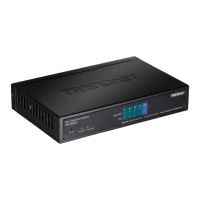
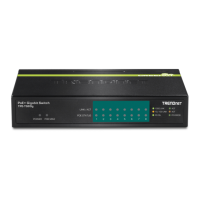
Ÿ8-Port Gigabit PoE+ Switch
TPE-TG80g
Ÿ Quick Installation Guide (1)
TPE-TG80g (V3) /01.23.2015
Question and Answer IconNeed help?

Do you have a question about the TRENDnet TPE-TG80g and is the answer not in the manual?

TRENDnet TPE-TG80g Specifications

General IconGeneral
BrandTRENDnet
ModelTPE-TG80g
CategorySwitch
LanguageEnglish

Summary

Before You Start

LED Indicators

Power LED Status

Describes the Power LED states and their meanings.

PoE Max LED Status

Explains the PoE Max LED for power overload indication.

Hardware Installation Steps

Connect Power Adapter

Instructions for connecting the power adapter and outlet.

Connect Network Cable

Steps to connect the switch to a computer via network cable.

Connect PoE Device

Instructions for connecting a PoE-powered device to the switch.
Limited Warranty Information

Related product manuals