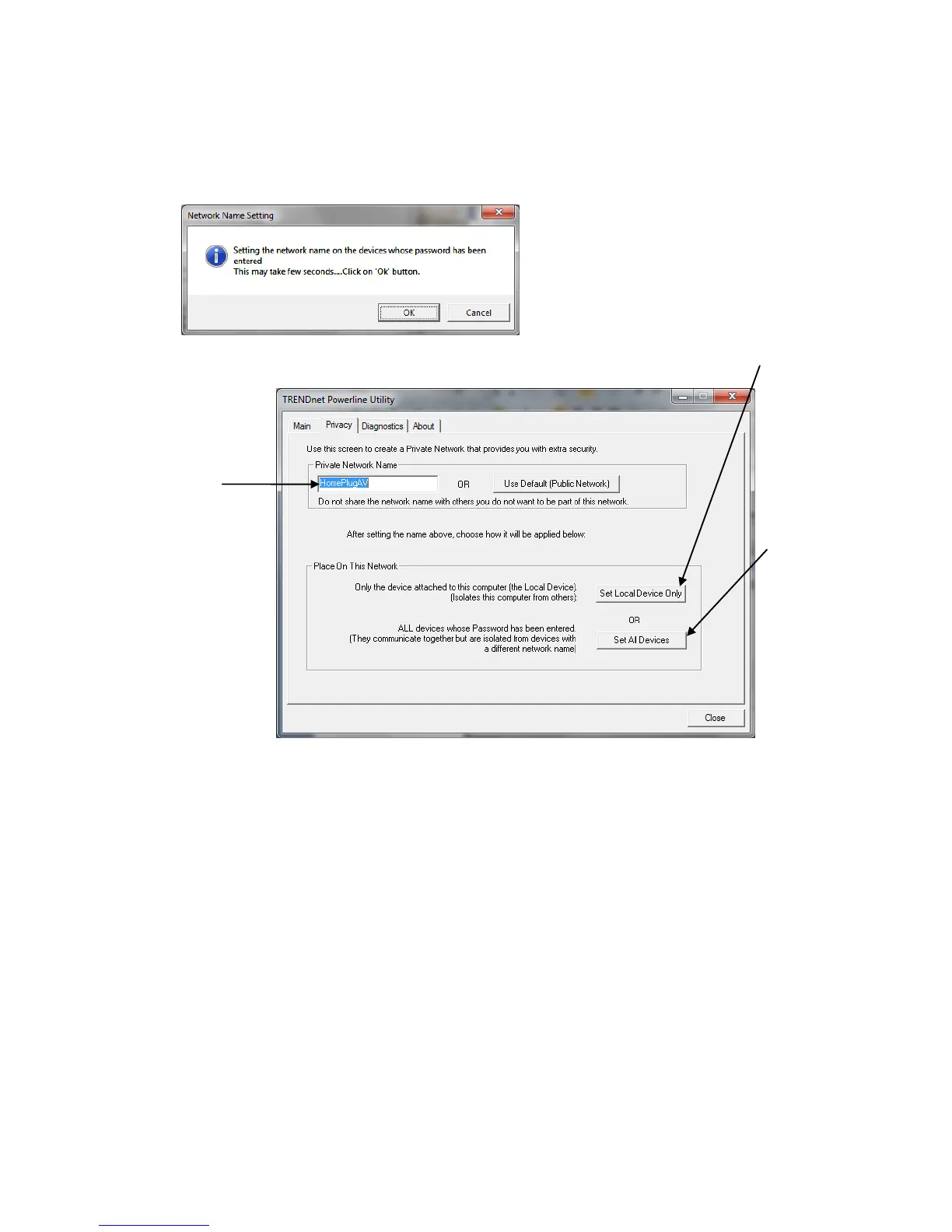
Change the Network Name/Security Key for multiple adapters using the utility
1. Click the Privacy tab.
2. Under Private Network Name, enter the desired network name/security key
and click Set All Devices.
3. At the Network Name Setting prompt window, click OK.












 To Next Page