- 44 -
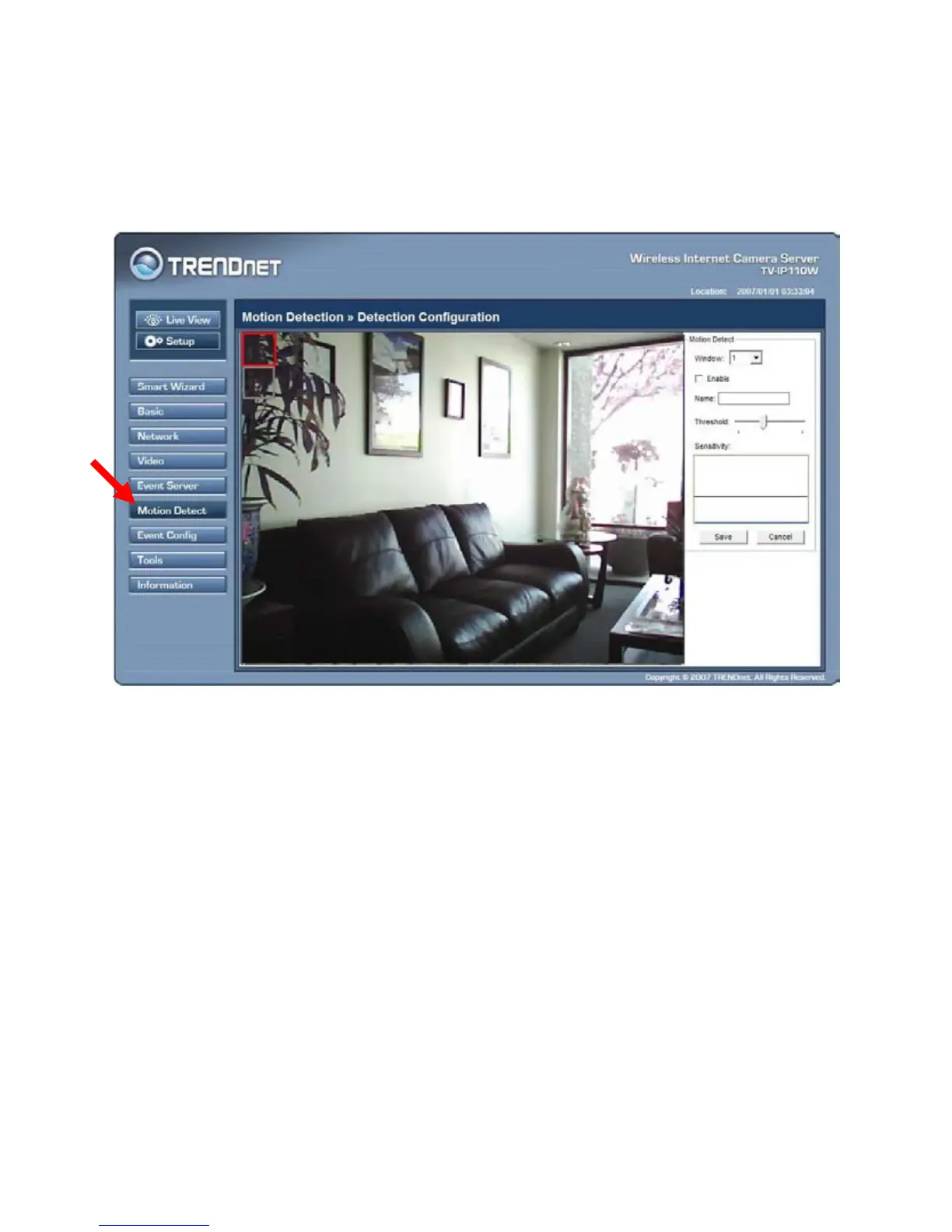
4.7 Motion Detect
The Motion Detect menu contains the command and option that allow you
to enable and set up the motion detection feature of the camera. The camera
provides two detecting areas.
To enable the detecting area, select Window 1 or 2 from the pull-down list,
and then select Enable. When the detecting area is enabled, you can use the
mouse to move the detecting area and change the area coverage.








 To Next Page