- 78 -
To playback the recorded video
The recorded video clips are saved in your computer, and can be played
using the media player on the computer, such as Windows Media Player.
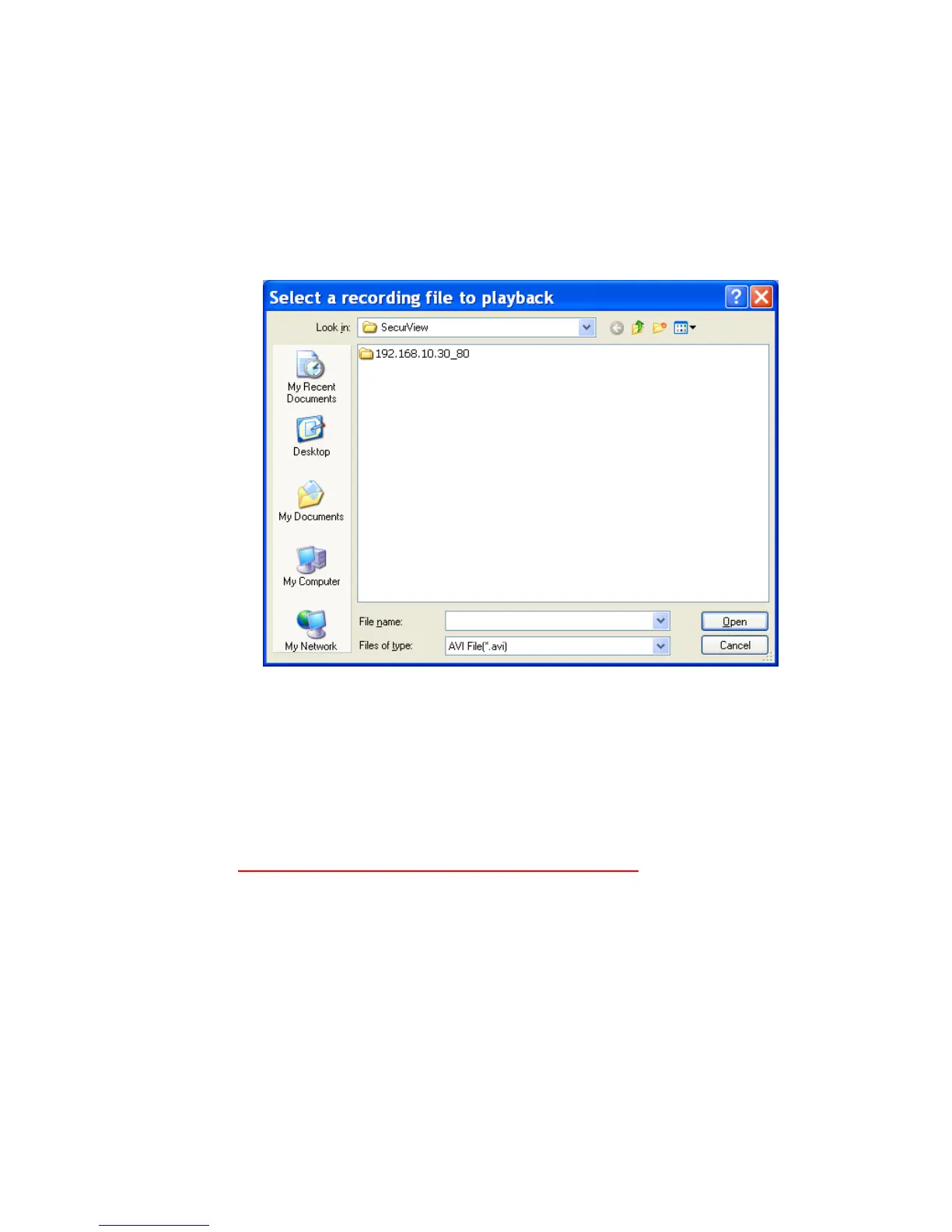
To start playback, simply click the PLAY button on the CONTROLS panel,
and the following dialog screen will appear, allowing you to select the file
to playback.
Select the recorded video file under the [camera] path and then click Open
to launch the media player to playback.
NOTE If your player on the computer don’t have video codec to playback
the recorded video. You can download video codec
from
http://www.xvid.org/downloads.15.0.html to support.
To set up motion detection options
When the motion detection function of the selected camera is enabled, you
can set the Motion Options by selecting Alarm, Recording, Send e-Mail,
and Trigger Out under SETTING > Motion Configuration.



 To Next Page