
 Need help?
Do you have a question about the TRENDnet TV-IP310PI and is the answer not in the manual?
Provides guidance on selecting an optimal location considering viewing angle and environmental conditions.
Step-by-step instructions for installing the camera software and initial configuration using the provided CD.
Details the physical mounting and cabling steps for installing the camera.
Instructions on how to physically attach the camera to a surface using the mounting base.
Overview of accessing the camera via web browser and default login credentials.
Procedure for logging into the camera's web interface for Windows users.
Procedure for logging into the camera's web interface for OS X users.
Explains how to access and view the real-time video stream from the camera.
Configure IPv4 and IPv6 network settings, including IP address, subnet mask, and gateway.
Adjust video encoding, resolution, frame rate, and bitrate for optimal stream quality.
Adjust image brightness, contrast, saturation, hue, and sharpness for better video quality.
Set up recording schedules, pre/post-record times, and overwrite settings.
Configure motion detection areas, sensitivity, and arming schedules.
Configure network storage locations (NFS/CIFS) for saving video recordings.
 General
| Type | - |
|---|---|
| PTZ control | No |
| Day/night mode | Yes |
| Placement supported | Outdoor |
| Connectivity technology | Wired |
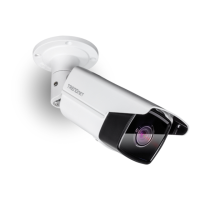
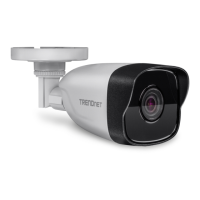
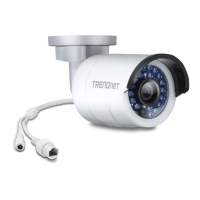
| Form factor | Bullet |
| Mounting type | Ceiling/wall |
| Product color | White |
| International Protection (IP) code | IP66 |
| Total megapixels | 3 MP |
| Maximum resolution | 2048 x 1536 pixels |
| Video formats supported | H.264, M-JPEG |
| Supported graphics resolutions | 1536 x 2048, 1920 x 1080 (HD 1080) |
| Minimum illumination | - lx |
| Sensor type | CMOS |
| Optical sensor size | 1/3 \ |
| Digital zoom | 3 x |
| Optical zoom | - x |
| Fixed focal length | 6 mm |
| LED type | IR |
| Night vision distance | 30 m |
| Power source type | PoE |
| Power consumption (typical) | 5 W |




 To Next Page

