EasyManua.ls Logo

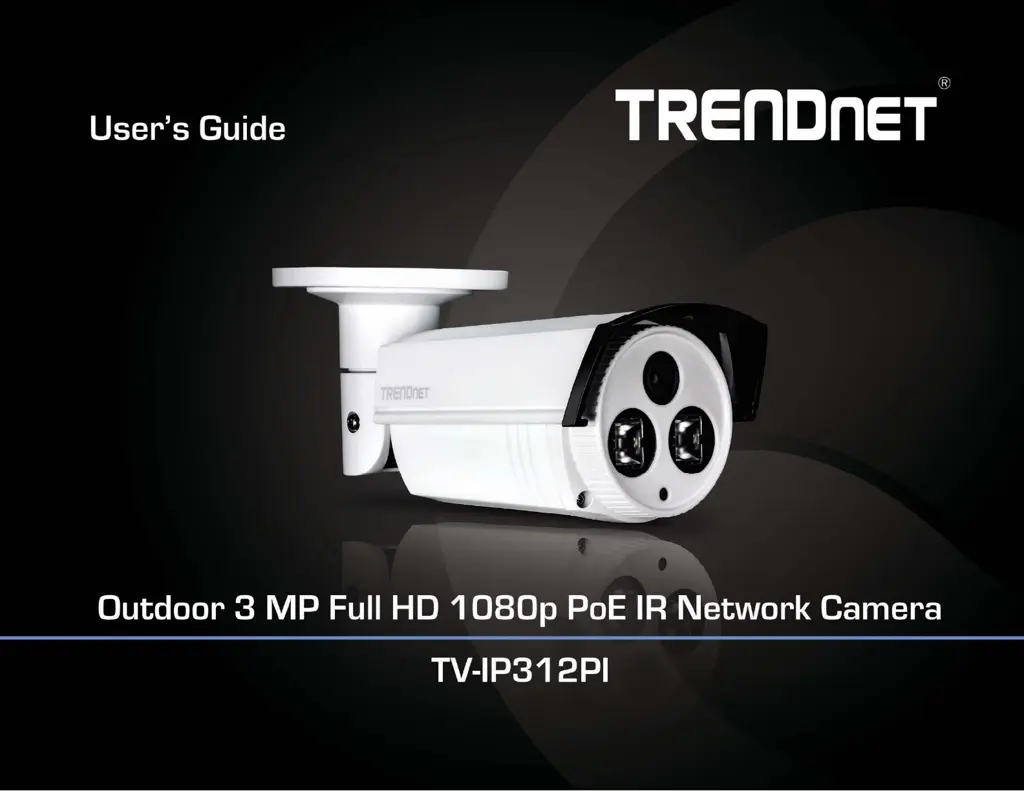
TRENDnet TV-IP312PI - User Manual

TRENDnet TV-IP312PI
55 pages
Print Icon
To Next Page IconTo Next Page
Loading...

Other manuals for TRENDnet TV-IP312PI

Questions and Answers

Summary

Product Overview and Key Features

Camera Features

Overview of the camera's key features and capabilities, including night vision, weather rating, and bracket.

Hardware Specifications

Details about the camera's physical components like adjustable bracket, power port, and sun visor.

Performance Capabilities

Information on the camera's video resolution, frame rate, compression, and night vision range.

Camera Overview and Safety Warnings

Camera Component Identification

Visual guide to the camera's ports and physical components.

Critical Safety Warnings

Critical safety precautions to prevent injury or death during installation and use.

Installation Preparation and Precautions

Cautions and Installation Procedure Steps

Precautions to prevent damage and general steps for successful camera installation.

Installation Environment and Hardware Details

Hardware Installation and Cabling

Steps for physical installation, including network cabling and waterproof cap usage.

Camera Mounting Instructions

Initial Software Setup via CD

Post-Installation Software Steps

System Restart and Camera Access

Restarting the computer after installation and accessing the camera via its IP address.

Web Browser Access and Login (Windows)

Browser Plug-in Installation and Security

Download and Install Browser Plug-in

Downloading and installing the necessary browser plug-in for video streaming.

Web Browser Login (OS X)

OS X Plug-in Installation Steps

WebComponents Plug-in Installation (OS X)

Complete Plug-in Installation and Re-login

Authorize Installation and Re-login

Authorizing software installation with a password and re-logging into the camera interface.

Trust Plug-in and Verify Live View

Trust Website and Verify Stream

Trusting the website for the video plugin and verifying the live view stream.

Live View Interface and Controls

Playback Functionality and Navigation

Playback Controls and Clipping Tools

Log Management and Search

System Information Details

System Configuration Settings

User Accounts and Time Settings

User Account Management

Managing user accounts for camera access and permissions.

Live View Display and File Settings

Camera Maintenance and Firmware Upgrade

Remote Firmware Upgrade Procedure

Procedure for finding and upgrading the camera's firmware.

Network Configuration Settings

Video Format and Encoding Settings

Video Format and Encoding Details

Detailed settings for video encoding, resolution, bitrate, and frame rate.

Display Settings and Basic Image Adjustments

Display Settings (Brightness, Contrast, etc.)

Adjusting brightness, contrast, saturation, hue, and sharpness of the image.

Image Sensitivity and Positioning Adjustments

Advanced Image Adjustments and OSD

Video Recording Schedules and Settings

Event Management and Motion Detection

Motion Detection Setup and Tracking

Setting up and configuring motion detection areas and tracking.

Snapshot Capture Settings

Email Notification Setup

Network Storage Setup and Configuration

Storage Management and Formatting

Summary

Product Overview and Key Features

Camera Features

Overview of the camera's key features and capabilities, including night vision, weather rating, and bracket.

Hardware Specifications

Details about the camera's physical components like adjustable bracket, power port, and sun visor.

Performance Capabilities

Information on the camera's video resolution, frame rate, compression, and night vision range.

Camera Overview and Safety Warnings

Camera Component Identification

Visual guide to the camera's ports and physical components.

Critical Safety Warnings

Critical safety precautions to prevent injury or death during installation and use.

Installation Preparation and Precautions

Cautions and Installation Procedure Steps

Precautions to prevent damage and general steps for successful camera installation.

Installation Environment and Hardware Details

Hardware Installation and Cabling

Steps for physical installation, including network cabling and waterproof cap usage.

Camera Mounting Instructions

Initial Software Setup via CD

Post-Installation Software Steps

System Restart and Camera Access

Restarting the computer after installation and accessing the camera via its IP address.

Web Browser Access and Login (Windows)

Browser Plug-in Installation and Security

Download and Install Browser Plug-in

Downloading and installing the necessary browser plug-in for video streaming.

Web Browser Login (OS X)

OS X Plug-in Installation Steps

WebComponents Plug-in Installation (OS X)

Complete Plug-in Installation and Re-login

Authorize Installation and Re-login

Authorizing software installation with a password and re-logging into the camera interface.

Trust Plug-in and Verify Live View

Trust Website and Verify Stream

Trusting the website for the video plugin and verifying the live view stream.

Live View Interface and Controls

Playback Functionality and Navigation

Playback Controls and Clipping Tools

Log Management and Search

System Information Details

System Configuration Settings

User Accounts and Time Settings

User Account Management

Managing user accounts for camera access and permissions.

Live View Display and File Settings

Camera Maintenance and Firmware Upgrade

Remote Firmware Upgrade Procedure

Procedure for finding and upgrading the camera's firmware.

Network Configuration Settings

Video Format and Encoding Settings

Video Format and Encoding Details

Detailed settings for video encoding, resolution, bitrate, and frame rate.

Display Settings and Basic Image Adjustments

Display Settings (Brightness, Contrast, etc.)

Adjusting brightness, contrast, saturation, hue, and sharpness of the image.

Image Sensitivity and Positioning Adjustments

Advanced Image Adjustments and OSD

Video Recording Schedules and Settings

Event Management and Motion Detection

Motion Detection Setup and Tracking

Setting up and configuring motion detection areas and tracking.

Snapshot Capture Settings

Email Notification Setup

Network Storage Setup and Configuration

Storage Management and Formatting

TRENDnet TV-IP312PI Specifications

General IconGeneral
Camera TechnologyIP
SensorCMOS
LensFixed
Focal Length3.6 mm
ApertureF2.0
Day/NightYes
Night VisionYes
IR Range30 m
Weatherproof RatingIP66
Frame Rate30 fps
AudioNo
ConnectivityWired
Network Interface10/100 Mbps Ethernet
Power over EthernetYes
TypeIP Camera
Image Sensor1/4"
Viewing Angle67° (H), 51° (V), 87° (D)
IR Distance30 m
Video CompressionH.264, MJPEG
Ethernet10/100 Mbps
ProtocolsHTTP, HTTPS, TCP/IP, UDP, SMTP, FTP, DHCP, DNS, DDNS, UPnP, RTSP, RTP, RTCP, IGMP, ICMP, ARP, QoS, IPv4, Bonjour
Operating Temperature-30 to 60 °C
Operating Humidity20% to 80% (non-condensing)
Power Consumption5.5W

Related product manuals