
 Need help?
Do you have a question about the TRENDnet TV-IP311PI and is the answer not in the manual?
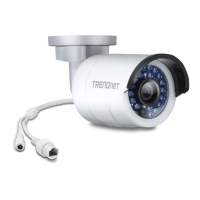
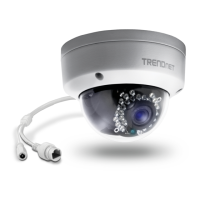
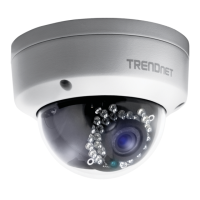
Details camera's core capabilities, including night vision, vandal resistance, and software.
Outlines physical and connectivity features like PoE, outdoor rating, and impact protection.
Describes resolution, frame rate, night vision range, and network protocol support.
Lists all items included in the TV-IP311PI package, along with diagrams of accessories.
Identifies camera parts and guides on angle adjustment and reset procedures.
Essential warnings and cautions for safe installation and operation to prevent injury or damage.
General steps and checklists for a smooth camera installation process.
Advice on choosing optimal placement considering viewing angle, weather, light, and moisture.
Step-by-step guide for installing the camera software and initial configuration.
Instructions for selecting the camera and configuring network connection options (DHCP/Fixed IP).
Steps to change the default administrator password for enhanced security during setup.
Guidance on network cabling standards, proper connection, and using waterproof caps.
Instructions on drilling holes, routing cables, and securely mounting the camera body.
Guide to accessing the camera's web interface, initial login, and plug-in installation.
Instructions for accessing the camera's web interface and installing plug-ins on macOS.
Overview of the live viewing screen and its controls for video streams and snapshots.
How to playback recorded videos, search by date, and use the timeline interface.
Procedures for saving recorded video sections and captured snapshots to a computer.
Viewing basic device and network configuration details.
Configuring camera name, location, and authentication protocols (RTSP, HTTP).
Setting up and managing user accounts for accessing camera streams and features.
Synchronizing the camera's system clock for accurate scheduling and logging.
Adjusting the camera's time settings to account for daylight saving time changes.
Configuring IP address, subnet mask, gateway, and DNS settings.
Managing service ports for RTSP, HTTPS, and web access.
Configuring Dynamic DNS for remote access and PPPoE for ISP connections.
Setting up SNMP for network monitoring and IP filtering for access control.
Adjusting video encoding, resolution, frame rate, and bitrate for optimal quality.
Fine-tuning brightness, contrast, saturation, hue, sharpness, and digital noise reduction.
Configuring camera name, date, time, and text overlays on the video feed.
Setting up recording schedules, pre/post-record times, and overwrite options.
Configuring motion detection areas, sensitivity, and associated event actions.
Setting up email, FTP, or storage notifications for events and tamper detection.
Configuring notifications for system events such as storage full status.
Setting up continuous or event-triggered snapshot capture.
Configuring network storage for video recordings using NFS or CIFS.
Setting up an FTP server to store camera snapshots.
Instructions for accessing video streams directly via RTSP and HTTP protocols.
Regulatory statements regarding FCC and EU conformity for the device.
Details of TRENDnet's limited warranty terms, conditions, and support.
 General
| Type | - |
|---|---|
| PTZ control | Yes |
| Placement supported | Outdoor |
| Connectivity technology | Wired |
| Form factor | Dome |
| Mounting type | Ceiling |
| Product color | White |
| International Protection (IP) code | IP66 |
| Total megapixels | 3 MP |
| Maximum resolution | 1536 x 2038 pixels |
| Video formats supported | H.264, M-JPEG |
| Supported graphics resolutions | 1536 x 2048, 1920 x 1080 (HD 1080) |
| Pan range | 0 - 355 ° |
| Tilt angle range | 0 - 65 ° |
| Minimum illumination | - lx |
| Sensor type | CMOS |
| Optical sensor size | 1/3 \ |
| Digital zoom | 3 x |
| Optical zoom | - x |
| Fixed focal length | 6 mm |
| Built-in HDD | No |
| LED type | IR |
| Night vision distance | 30 m |
| Power source type | PoE |
| Power consumption (typical) | 5.5 W |




 To Next Page
