EasyManua.ls Logo

TRENDnet TV-IP322WI - User Manual

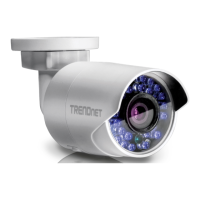
TRENDnet TV-IP322WI
62 pages
Print Icon
To Next Page IconTo Next Page
Loading...
Question and Answer IconNeed help?

Do you have a question about the TRENDnet TV-IP322WI and is the answer not in the manual?

Summary

Product Overview

Key Features

Key specifications and capabilities of the camera.

Safety and Installation Planning

Safety Warnings and Cautions

Important safety warnings and precautions for camera usage.

Initial Camera Setup

Option 1: Manual Wireless Connection

Step-by-step guide for manual wireless network connection.

Initial Camera Setup (Continued)

Manual Wireless Connection Steps

Steps for selecting wireless network and password.

Manual Wireless Connection Completion

Steps for completing the manual wireless setup.

WPS Wireless Connection Steps

Steps for searching cameras and entering password.

WPS Wireless Connection Completion

Steps for accessing web page and closing panel.

PoE Network Cable Connection Steps

Steps for selecting connection option and entering password.

PoE Network Cable Connection Completion

Steps for accessing web page and completing setup.

Option 2: WPS Wireless Connection

Guide for connecting camera via WPS button.

Option 3: PoE Network Cable Connection

Guide for connecting camera via PoE network cable.

Basic Settings (Continued)

Playback Overview

Introduction to playback functionality for recorded video.

Playback Operations

Searching Video Recordings

Steps to search and select video recordings by date.

Playback Operations (Continued)

Downloading Snapshots and Managing Logs

How to download snapshots and manage camera logs.

System Settings (Continued)

Network Settings

Network Settings (Continued)

Wi-Fi Settings

Video Settings

Video Settings (Continued)

Event Settings

Motion Detection Setup

Configuring motion detection triggers and actions.

Event Settings (Continued)

Motion Detection Area and Sensitivity

Drawing detection areas and adjusting motion detection sensitivity.

Video Tamper Detection Setup

Setting up tamper detection and scheduling for alerts.

Event Settings (Continued)

Email Notification Setup

Email Account Configuration

Details on sender, receiver, and SMTP settings for email notifications.

Storage Settings

Storage Settings (Continued)

Troubleshooting

Camera Access Issues

Solutions for slow access, no access, or remote access problems.

Troubleshooting (Continued)

Hardware Reset Procedure

Instructions for resetting the camera to factory default settings.

Gmail Notification Issues

Troubleshooting email notifications from Gmail accounts.

Limited Warranty

Limited Warranty (Continued)

Summary

Product Overview

Key Features

Key specifications and capabilities of the camera.

Safety and Installation Planning

Safety Warnings and Cautions

Important safety warnings and precautions for camera usage.

Initial Camera Setup

Option 1: Manual Wireless Connection

Step-by-step guide for manual wireless network connection.

Initial Camera Setup (Continued)

Manual Wireless Connection Steps

Steps for selecting wireless network and password.

Manual Wireless Connection Completion

Steps for completing the manual wireless setup.

WPS Wireless Connection Steps

Steps for searching cameras and entering password.

WPS Wireless Connection Completion

Steps for accessing web page and closing panel.

PoE Network Cable Connection Steps

Steps for selecting connection option and entering password.

PoE Network Cable Connection Completion

Steps for accessing web page and completing setup.

Option 2: WPS Wireless Connection

Guide for connecting camera via WPS button.

Option 3: PoE Network Cable Connection

Guide for connecting camera via PoE network cable.

Basic Settings (Continued)

Playback Overview

Introduction to playback functionality for recorded video.

Playback Operations

Searching Video Recordings

Steps to search and select video recordings by date.

Playback Operations (Continued)

Downloading Snapshots and Managing Logs

How to download snapshots and manage camera logs.

System Settings (Continued)

Network Settings

Network Settings (Continued)

Wi-Fi Settings

Video Settings

Video Settings (Continued)

Event Settings

Motion Detection Setup

Configuring motion detection triggers and actions.

Event Settings (Continued)

Motion Detection Area and Sensitivity

Drawing detection areas and adjusting motion detection sensitivity.

Video Tamper Detection Setup

Setting up tamper detection and scheduling for alerts.

Event Settings (Continued)

Email Notification Setup

Email Account Configuration

Details on sender, receiver, and SMTP settings for email notifications.

Storage Settings

Storage Settings (Continued)

Troubleshooting

Camera Access Issues

Solutions for slow access, no access, or remote access problems.

Troubleshooting (Continued)

Hardware Reset Procedure

Instructions for resetting the camera to factory default settings.

Gmail Notification Issues

Troubleshooting email notifications from Gmail accounts.

Limited Warranty

Limited Warranty (Continued)

TRENDnet TV-IP322WI Specifications

General IconGeneral
BrandTRENDnet
ModelTV-IP322WI
CategorySecurity Camera
LanguageEnglish

Related product manuals