
 Need help?
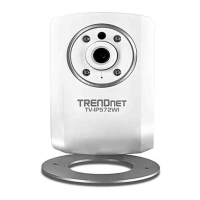
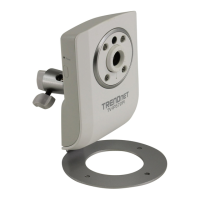
Do you have a question about the TRENDnet TV-IP562WI and is the answer not in the manual?
Procedure for changing the default administrator password.
Accessing and configuring the camera via a web browser.
Configuring the camera's Local Area Network (LAN) settings.
Configuring the camera's internet connection settings.
Configuring Dynamic DNS for remote access.
Detailed options for IP addressing and network connection.
Detailed options for PPPoE internet connection.
Detailed options for configuring Dynamic DNS services.
Configuring administrator account credentials and password rules.
Configuration options for the camera's wired network interface.
Enabling and configuring the camera's wireless network connection.
Setting up Dynamic DNS to link a domain name to the camera's IP.
Configuring video stream profiles, resolution, and frame rates.
Adjusting settings for automatic or manual day/night vision switching.
Adjusting brightness, saturation, contrast, hue, and other image parameters.
Setting up video recording based on trigger events.
Configuring recording to start when motion is detected.
Configuring recording to start when sound is detected.
Configuring recording to occur based on a set schedule.
Setting the camera to record continuously.
Details on video clip format, duration, and source profile.
Specifying storage for recordings: Micro SD Card or Samba Network Storage.
 General
| Resolution | 1280 x 720 |
|---|---|
| Camera | 1/4" Progressive Scan CMOS |
| Minimum Illumination | 0.5 Lux |
| Day/Night | Yes |
| Night Vision | Yes |
| IR LEDs | 6 |
| Video Compression | H.264, MJPEG |
| Frame Rate | 30 fps |
| Wireless Standard | 802.11b/g/n |
| Ethernet | 10/100 Mbps |
| Pan/Tilt | No |
| Audio | Built-in microphone |
| Sensor | CMOS |
| Lens | 3.6 mm |
| IR Range | 5m |
| Network Protocols | HTTP, HTTPS, TCP/IP, UDP, DHCP, DNS, DDNS, NTP, UPnP |
| Power Supply | 5 V DC |
| Operating Temperature | -10°C to 50°C |
| Operating Humidity | 20% to 80% |

 To Next Page
