IP 365 S8
20
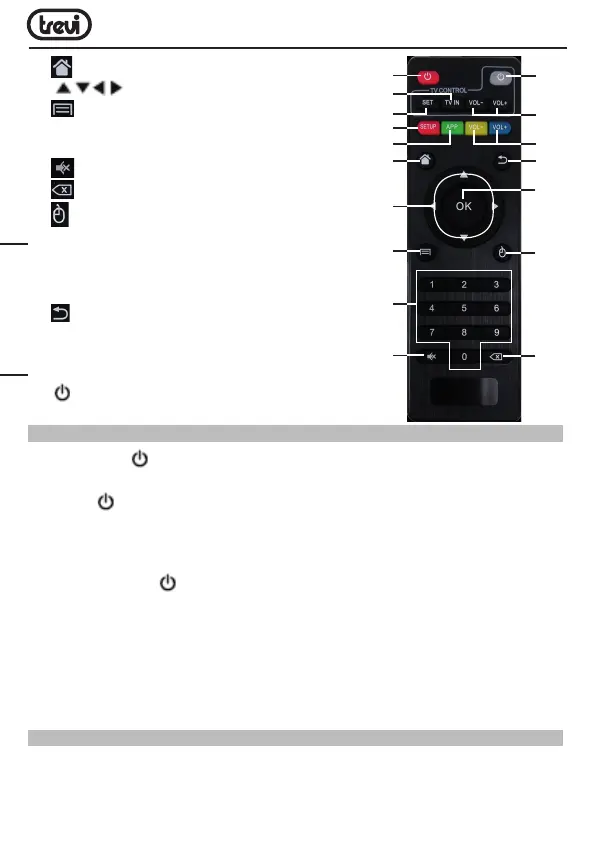
16. BUTTON: To return to Main (Home) page.
17.
KEYS: Move highlight.
18.
BUTTON: To open the sub-menu folder
in certain applications / functions.
19. 0-9: Enter value in on-screen menu.
20.
BUTTON: Resetting sound level.
21.
BUTTON: Delete Input error information.
22.
MOUSE BUTTON: To enable moving fast by
arrow (using the navigation keys), press again to
enable the displacement step.
23. OK BUTTON: to confirm and Activate the
highlighted menu item.
24.
QUIT BUTTON: Return to previous step/Exit.
25. VOL+/VOL- BUTTONS: Increase/decrease
volume IP 365 S8.
26. VOL+/VOL- BUTTONS: Increase/decrease volume TV.
27.
BUTTON: Power ON/OFF TV.
LEARN REMOTE CONTROL LEARNING METHODS
1. Long press “ ” (27) of remote control’ TV keypad for 5 seconds until red indicating
light of remote control turn into keeps on, showing learning state;
2. Press “
” (27) the learning key, red indicating light blinking, showing learning receive
state;
3. Hold studied remote control, point at remote control of Set Top Box, and press studied
key with about 3-5 mm distance;
4. Press the button
on TV’s remote control, the light emits three quick flashes and
then remain fixed (coupled with the command executed correctly).
5. Proceed by selecting the button (12) and then the corresponding function on the remote
control the TV.
6. Same procedure for the keys (26).
7. Once all 5 coupled keys wait for the light to go out alone. Now with 5 programmed keys
you can operate your TV with the functions that you have paired.
CONNECTIONS
Installation
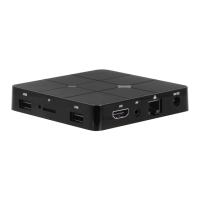
• To turn on the device, connect the power adapter supplied to the power socket DC (5)
of the IP 365 S8 (27) and the other end to the wall outlet.
11
12
14
16
17
18
19
20
21
22
23
24
27
26
13
15
25
ENGLISH



 To Next Page