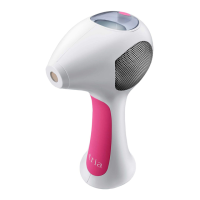
before every treatment
Get your skin ready
1. Wash the treatment area thoroughly.
2. Shave the treatment area. If possible, use a new razor to make sure you get an extra close
shave. (Shaving helps reduce discomfort during treatment because the TRIA Laser works on
the hair inside the follicle, below the surface of the skin.)
3. Wipe your skin with a cool, damp cloth to dry the area and remove any shaving cream or soap.
Unlock the TRIA Laser with the Skin Sensor
The Skin Sensor is a built-in safety feature located inside the base of your TRIA Laser.
To unlock the laser with the Skin Sensor:
1. Turn on the TRIA Laser.
2. Hold the base of the TRIA Laser over the skin in the area you wish to treat. The
Skin Sensor will automatically sense and check your skin. If it’s safe for you to use the
TRIA Laser, it will emit a series of beeps and unlock.
3. If the TRIA Laser does not unlock, then it may not be safe for you to use. Or, you may
be using the Skin Sensor incorrectly and need to try again. To try again, li the Skin
Sensor from your skin and follow steps 1 and 2 above. If you still aren’t able to unlock
the TRIA Laser, contact Customer Care. When not in use for approximately ve
minutes, the TRIA Laser will automatically lock.
Set the TRIA Laser to your comfort level
Refer to the Display Window to nd the current treatment level. To increase the level
of your treatment setting (Levels 1-5), press the Power Button. Each time you press
the Power Button, the level will increase. Once the TRIA Laser is at Level 5, press
the Power Button again to return to Level 1. For best results, choose the highest
treatment level that you can tolerate.


 To Next Page