Need help?
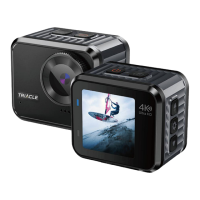
Do you have a question about the TRIACLE TRIAC4002BK4K and is the answer not in the manual?
Explains how to cycle through different camera modes like video, photo, and lapse.
Selects video or photo modes and cycles through options like Video, Slowly, Loop, and Lapse.
Instructions for viewing recorded videos and photos by selecting files.
Guide on entering and navigating the system settings menu using buttons.
Detailed parameters for video recording, including resolution, slow motion, and EIS.
Configuration options for photo capture, including pixel inset, auto shoot, and burst mode.
System configuration options like image rotation, WiFi, language, and time format.
 General
| Video Resolution | 4K |
|---|---|
| Lens | 170-degree wide-angle |
| Storage | MicroSD up to 128GB |
| Connectivity | Wi-Fi |
| Ports | USB-C, Micro HDMI |


 To Next Page