TR-43
VERY IMPORTANT INFORMATION & TIPS
Do NOT connect the receiver to the mains supply until
HDMI / SCART & Aerial leads are connected:
Warranty will be void if installed without good ventilation.
If you connect to an existing Aerial and have no pictures you may have to rescan for channels refer to Initial
set up in this guide to see how to do this. Or you may have to change the picture format for HD & SD Tv’s
After a factory default of the TR-43 TV channels will all be lost - please see set up after factory reset above.
Always turn the TR-43 off at the power socket when it’s not being used to watch TV - This is a safety message
My Triax TR-43 was installed by:
USB Recording basics.
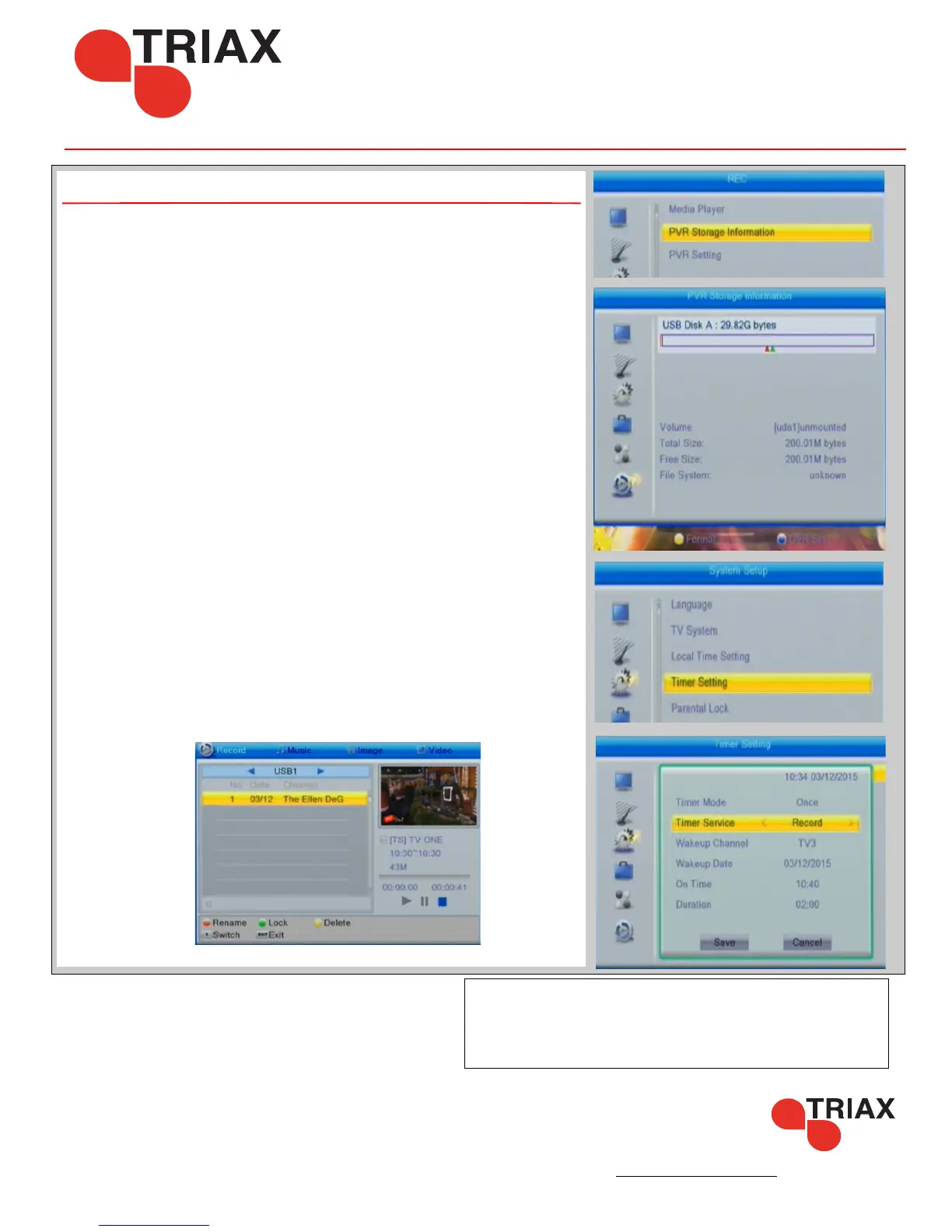
By using USB stick or HDD (1TB or smaller) with the TR-43 you can record
and playback TV.
If this feature is not turned on in your TR-43 you can enable this by the
following.
Press the Menu button and scroll down to REC
Press the ‘Blue Button’ (DVR Set) - choose DVR Type (REC + TMS)
The PVR function is now turned on.
Here you can also format a new drive,
We suggest that you use a drive under 1TB and that it is formated using the
TR-43 in NTFS format. If the drive is not recognised then you may have to
format the drive on a computer -
Use the ‘Yellow button’ to format from this menu.
Setting a Timed Recording
Press ‘Menu’, on your remote control and scroll down to the System Setup
menu. Choose ‘Timer Setting’ and then choose an available timer slot. Press
OK to configure.
Set up your recording to run once, weekly or monthly. Set timer service as
record and sleet the channel, date and start / finish times.
When finished highlight and press ‘OK’ the timer event will be added to
the list
To Play Back ,
Press the ‘MEDIA’ button using the remote control.
Select the recording and press ‘OK’ to start watching



 To Next Page