13
OPM Mode
OPTIONAL
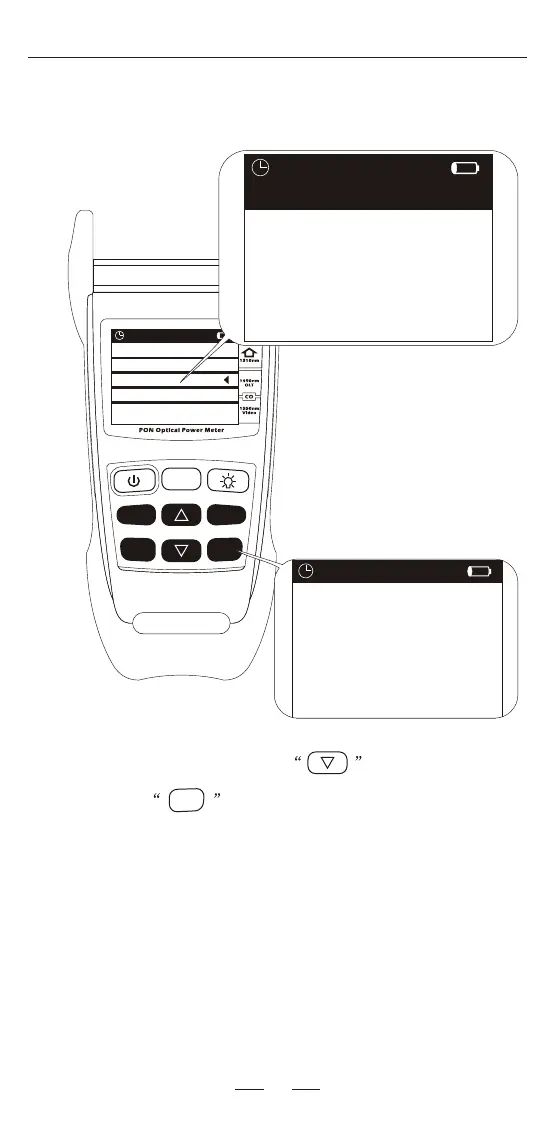
When turn on the device, press key to select OPM
mode and press key to enter the normal optical power
meter mode.
In normal power meter mode:
dBm/dB: change the unit, dBm, uW and dB.
Threshold: change the wavelength,
850/1300/1310/1490/1550/1625nm.
REF/Enter: press to check the REF value, press for 2 seconds to
save the current value as a new REF value.
Threshold
REF/
dBm/dB
F/P
mode
ReCall
Save
Enter
>2S PERM
REF/
Enter
0.00
0.00
0.00
0.00
0.00
0.00
1300nm
1550nm
850 nm
1490nm
1310nm
1625nm
dBm
dBm
dBm
dBm
dBm
dBm
Reference
Select Function
PON
OPM
VFL


 To Next Page