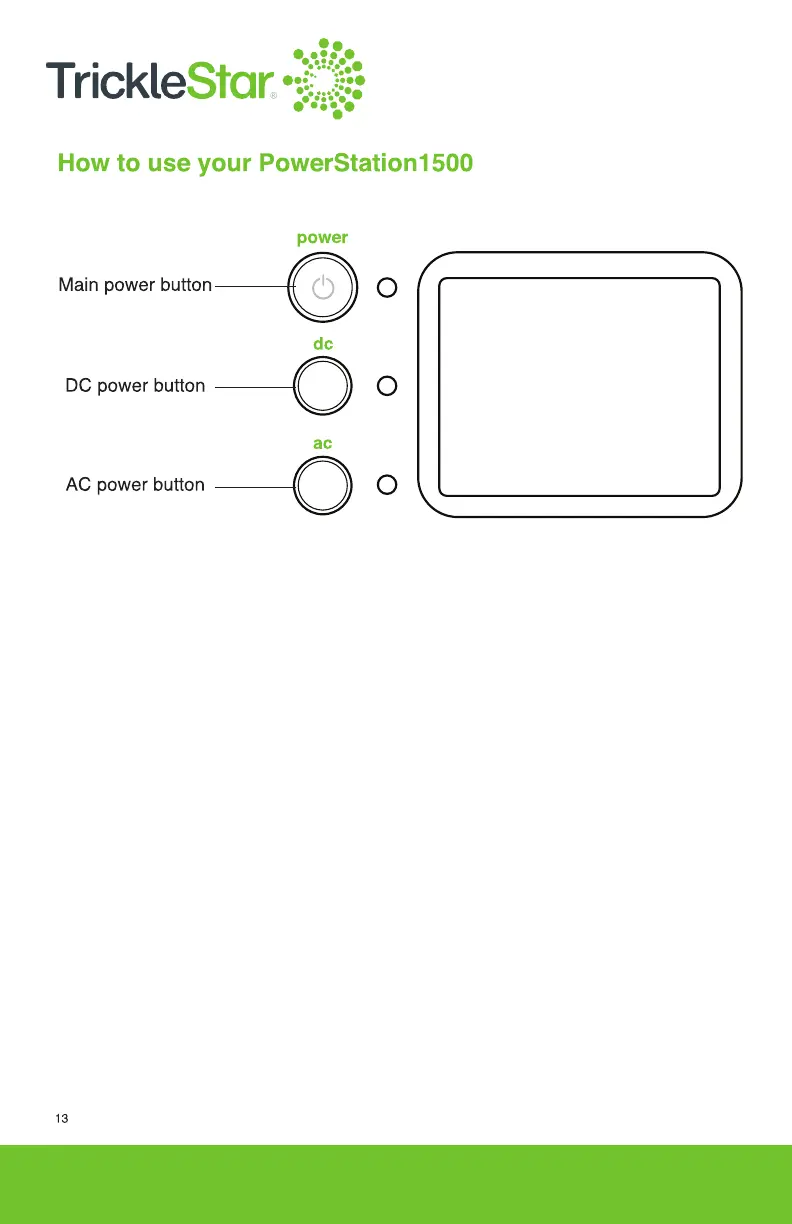
1. To turn On/Off PowerStation1500
i) Turn on the PowerStation1500: Press and hold the main power button
for about 3 seconds to turn on the PowerStation1500. The corresponding
LED indicator and the display screen will light up.
ii) Turn off the PowerStation1500: Press and hold the main power button
for about 2 seconds to turn off the PowerStation1500. The corresponding
LED indicator and the display screen will turn off.
2. To turn On/Off AC output
i) Turn on AC output: Press and hold the AC power button for about 2 seconds
to turn on the AC output for the PowerStation1500. The corresponding LED
indicator will light up and the display screen will show “AC ON”.
ii) Turn off AC output: Press and hold the AC power button for about 2 seconds
to turn off the AC output for the PowerStation1500. The corresponding LED
indicator will turn off and the display screen will show “AC OFF”.



 To Next Page