9 | P a g e
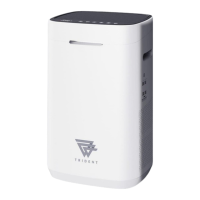
TRIDENT AIR MINI – BY PLASMA SCIENCE
FILTER ASSEMBLY
Six pre-assembled filters are included with this purifier. After the filters
are inserted, please close the rear cover to turn on the machine.
CLEANING OF ALUMINUM MESH PRE-FILTER
Depending on the environment in which it is used, the aluminum mesh
filter needs to be cleaned at least once every four months. It captures
big particles >5 microns and also hair and tiny insects, etc
1. Use a vacuum cleaner to get rid of any dust or fluff.
2. Apply mild detergent and wash with a shower head.
3. Rinse the filter well to get rid of any remaining soap.
4. Air-dry the filter.
CLEANING OF A.G.E FILTER
1. Remove the A.G.E filter.
2. Place it in water with mild detergent and let it soak for 5
minutes.
3. To eliminate all dirt, use a shower head to spray clean.
4. Let the sun dry the filter or make use of a hair dryer.
CLEANING OF OZONE DECOMPOSITION CARBON FILTER
To get rid of dust and fluff, use a vacuum cleaner or soft brush to brush
off dust.
WHOLE MACHINE CLEANING
Clean with a damp sponge or cloth.
Do not immerse the air purifier in water.
COMMON TROUBLESHOOTING METHODS
It is advised to turn off the power
source and wait five seconds
before turning it back on.
The device is without a filter.
The equipment is situated in a
constrained space or there are
obstructions around, which
reduces the effect of
purification.
The filters are dirty.
Unplug, give it time to cool, and
then reconnect.
If the problem persists, contact
customer service.


 To Next Page