TY91/TY92 VHF Radio Installation Manual 24 November 2014
00839-00 Issue AF
______________________
Trig Avionics Limited 39
6.2.6 Radio Squelch Offset
The receiver has a factory set nominal squelch point of approximately -95 dBm
which should be appropriate for most installations. In some aircraft with noisy
electrical environments, such as vintage or experimental aircraft, the factory
setting may lead to nuisance squelch changes triggered by noise.
The radio squelch offset allows the installer to moderately increase the squelch
set point.
6.2.7 Frequency Step Size
The TY91/TY92 is capable of operating in both an 8.33 kHz and 25 kHz
environment. If 8.33 kHz operation is not required, the 8.33 kHz channels can
be disabled to simplify the tuning operation.
Note: 8.33 kHz operation is required in some European airspace.
Note: On a dual TC90 installation. this setting only affects the
individual TC90 and does not automatically update between the
controllers. In an 8.33 kHz environment, both TC90’s will need to be
correctly configured.
6.2.8 Display Brightness
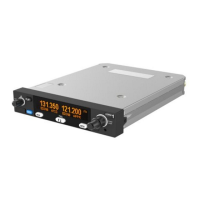
The TC90 control head display backlighting can be adjusted to suit ambient
light conditions. A bar on the display shows the relative brightness and the
display changes brightness as the small tuning knob is turned.
Note: On a dual TC90 installation, this setting only affects the local
TC90 and allows the user to independently set their brightness
preference.
6.2.9 Microphone Sensitivity Adjustment
Whilst in configuration mode, pressing the MEM button for at least 3 seconds
enables additional menus for adjustment of the microphone gain.
The factory set microphone adjustment provides a nominal sensitivity of 100


 To Next Page