Page 7
HF-2
PROGRAMMING, Cont.PROGRAMMING, Cont.
PROGRAMMING, Cont.PROGRAMMING, Cont.
PROGRAMMING, Cont.
5. If desired, exit Program Mode by pressing '#'
(wait for two second tone).
6. To terminate call, press '7'.
Note: If '0' was programmed for an audible ring, the
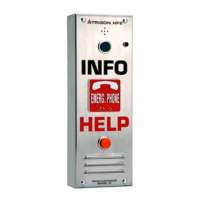
call may be answered by pressing the INFO' button on
the face of the unit.
(F) Setting the Dial Mode.
This will select Rotary or Touch-Tone dialing.
1. The unit must be in Program Mode.
2. Press '6'.
3. Press '1' for Rotary.
or
4. Press '0' for Touch-Tone
☎☎ .
5. If desired, exit Program Mode by pressing '#'
(wait for two second tone).
6. To terminate call, press '7'.
Note: Adding 2 to the above value will result in the
Secondary relay closing for three seconds at dial time.
(G) Setting Call Length:
This is the period of time allowed for conversation before
time-out. The time desired is measured in seconds, and
entered using a 3 digit number. (060= 1 minute, 180= 3
minutes, etc).
1. Unit must be in Program Mode.
2. Press '8'.
3. Enter call length in seconds (001 to 999)
☎☎
.
4. If desired, exit Program Mode by pressing '#'
(wait for two second tone).
5. To terminate call, press '7'.
(H) DTMF Echo Test:
1. Press '9'.
The unit will send a tone sequence 1 thru 0 ,*, #, and
then echo any tones received from the caller.
2. To stop test. press '#' (wait for two second tone).
3. To terminate call, press '7'.
(I) Cycling Relays:
This command causes the HF-2 to leave the
programming mode and operate the primary relay timing
cycle followed by phone line disconnect.
1. Press ' '.*
(E) Setting the Relay Duration Timer:
This will set the length of time the Primary and
Secondary relays remain activated. The duration can
be set from 1 to 45 seconds.
The duration is set by entering the number of five-second
intervals desired (2= ten seconds).
1. Unit must be in Program Mode.
2. Press '0'.
3. Enter the number of 5 sec. intervals required.
☎☎ .
4. If desired, exit Program Mode by pressing '#'
(wait for two second tone).
5. To terminate call, press '7'.
Note: If '0' is entered in step 3, relays will pulse for one
second.
(H) Setting Incoming Ring Count:
Entering a digit value of 1 to 9 will set the number of
rings the unit will count before answering an incoming
call.
1. Unit must be in Program Mode.
2.Press '5'.
3. Enter the number of rings desired ( 1 to 9).
or
4. Enter '0' if an audible ring is desired from the
HF-2 whenever it is called
☎☎ .


 To Next Page