8 Accessory Connections
72 EZ-Guide 500 System Cabling Guide
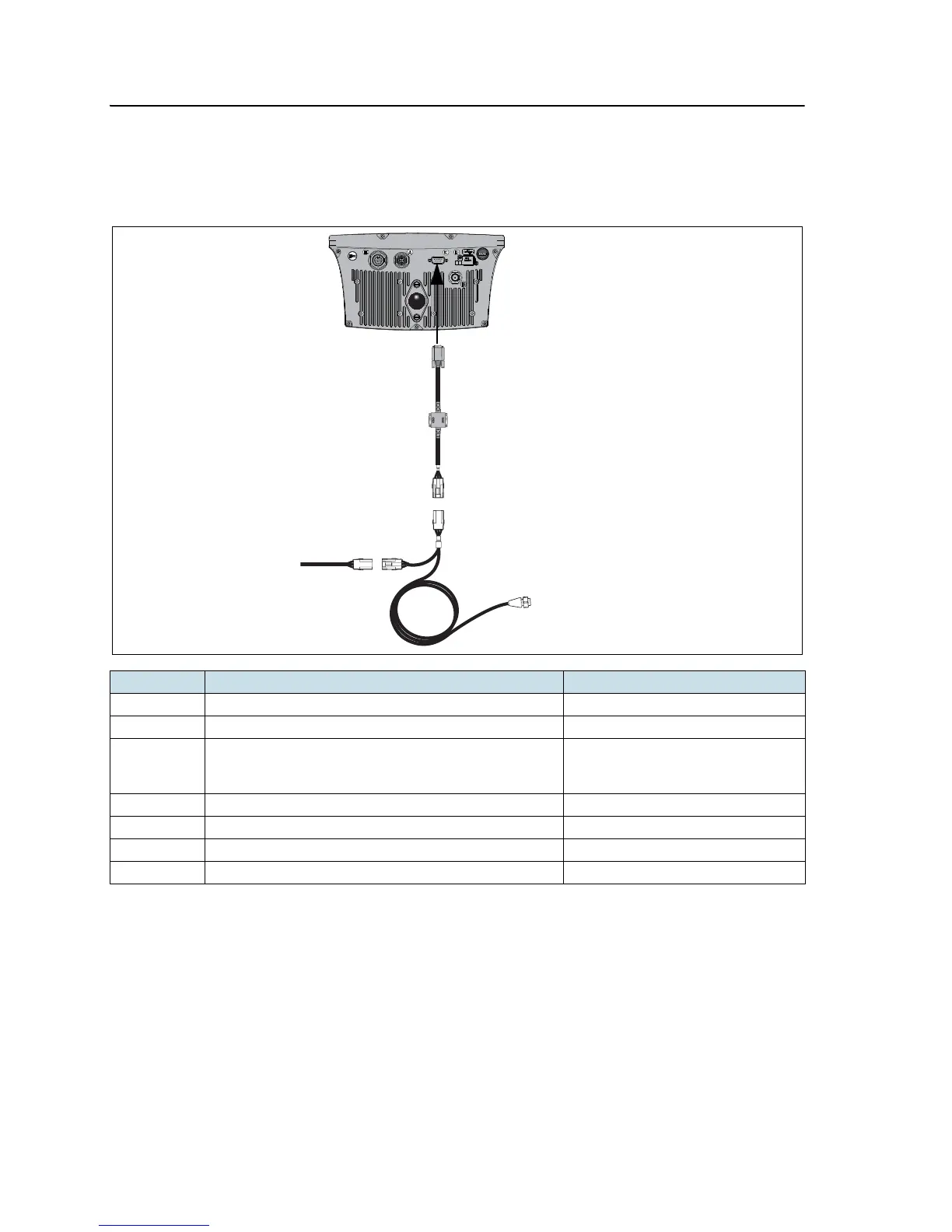
EZ-Guide 500 system with radar cable and coverage switch
This figure shows how to connect a radar cable and coverage switch to the
EZ-Guide 500 lightbar:
Note – The pulse amplifier module that is provided with the radar cable is for the
EZ-Guide Plus lightbar. It is not required for the EZ-Guide 500 lightbar.
Item Description Part number
A EZ-Guide 500 lightbar 66100-xx
B External interface cable 62749
C Radar cable 54805-00 (Raven) or
54806-00 (Midtech)
54807-00 (Hinniker)
D Coverage switch cable –
1 Female WeatherPack connector –
2 Connection to radar gun –
3 Spare male WeatherPack connector –



 To Next Page