8 Accessory Connections
76 EZ-Guide 500 System Cabling Guide
Adding a second USB port
The lightbar does not currently support a second USB port.
You cannot use the USB connector on the port expansion cable (P/N 62609).
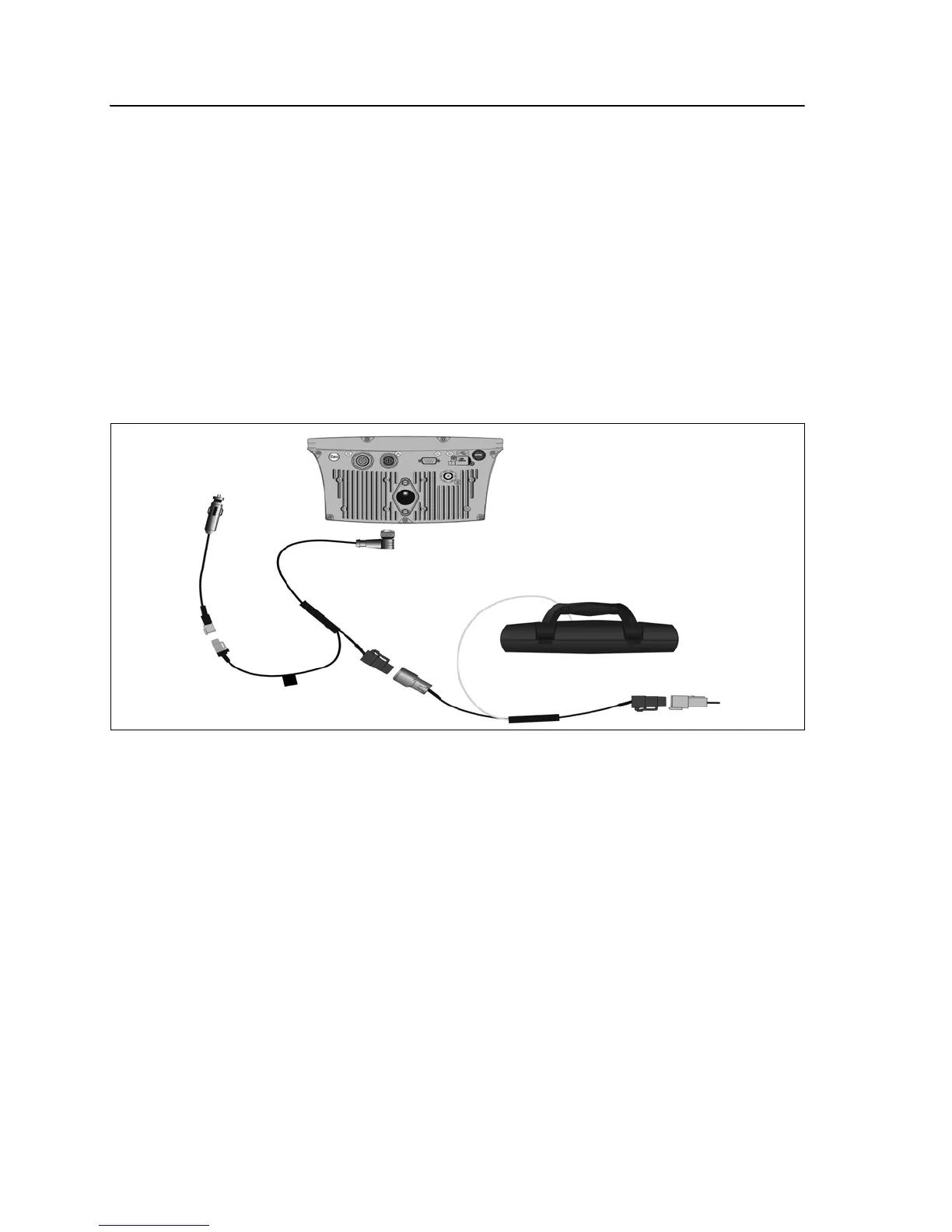
Connecting the LB25 lightbar to an EZ-Guide 500 lightbar
This section describes the cabling option to connect the LB25 lightbar to the EZ-Guide
500 lightbar.
Note – Ensure firmware version 4.05 or greater is loaded on the EZ-Guide 500. For
information on configuring the LB25 lightbar for use with the display refer to your display
documentation.
Step 1
Connect the LB25 cable (P/N 67094) (
d) to the 4-pin Deutsch connector on cable P/N
62817 (
c).
Notes:
– For a standalone system, connect the CAN terminator (P/N 59783) (
e) to the 4-pin
Deutsch plug on the LB25 cable (
d).
– If you are using an EZ-Steer or EZ-Boom system, connect the appropriate cable to the
4-pin Deutsch plug on the LB25 cable (
d).
– For details on how to connect the remaining parts of those systems, refer to your display
documentation.



 To Next Page