Trimble M3 Total Station User Guide 107
Applications 8
8.3 Compute area
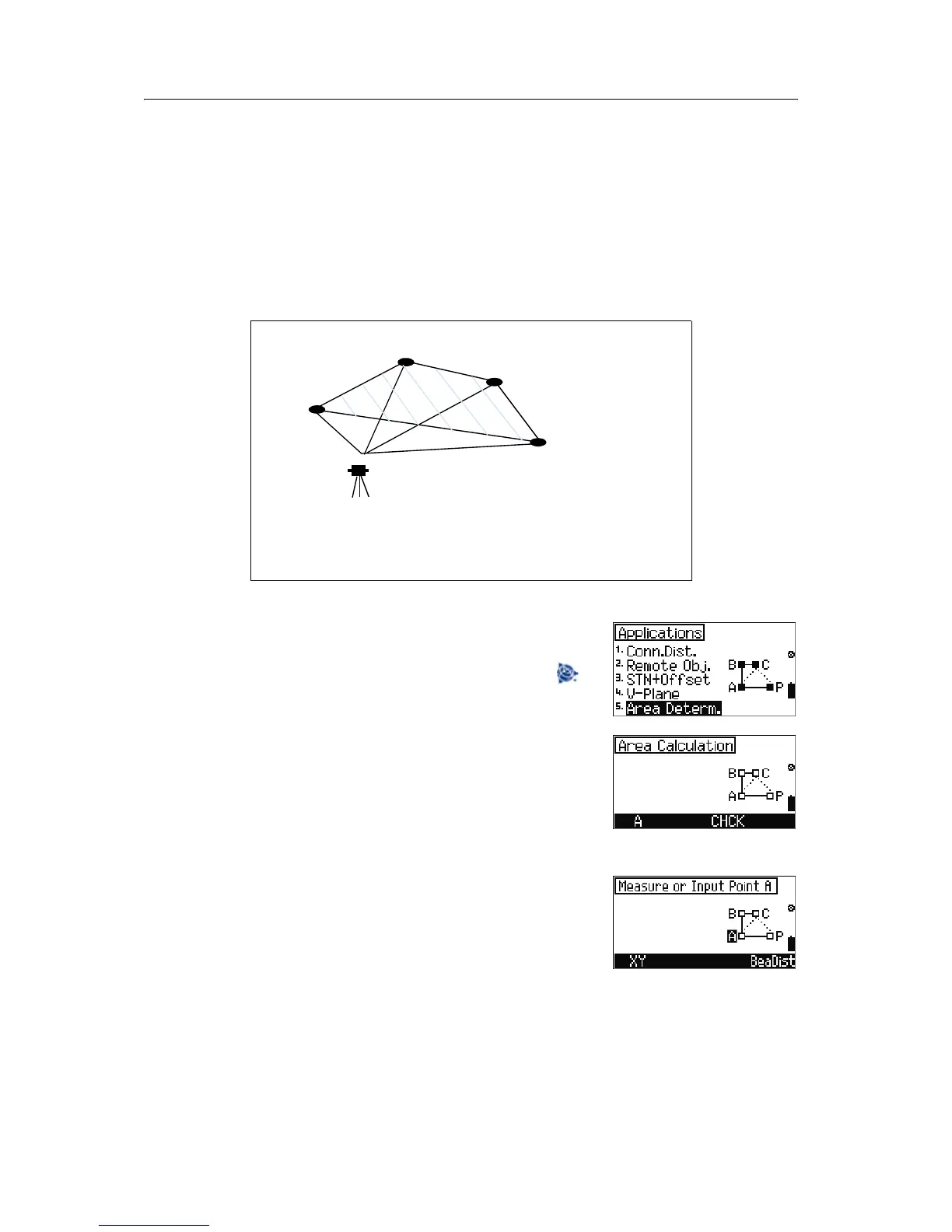
The compute area function enables you to calculate an area by:
• measuring to the corner points
• input of the corner point coordinates of the area
• calling them from the memory
The area is delimited by straight lines.
Any number of corner points can be used.
To start the Area Determination option, from the
Application menu, select [5] Area Determ.
Note – In any measurement screen, you can press to
change the point number and point code and the EDM
mode, or check recorded data.
The
Area Determination screen appears. Do one
of the following:
• To adjust C&I, press [F3] CHCK. See Checking and
adjusting the compensator (C) and index (I),
page 119.
• To take a measurement to point A, press [F1] A.
In the
Measure or Input Point A screen, do
one of the following:
• To input the XY coordinates, press [F1] XY. See
Orientation using known coordinates, page 81.
Note – You can input XY coordinates in each of the
Measure Point screens.
• To measure point A, press [MEAS/ENT].
B
C
A
Pi
S
Meas: (SD, Hz, V)
A,B,C,Pi
Given: (y,x)
A,Pi
(Y,X)
A, Pi
Comp: F (A-B-C-Pi)



 To Next Page