5 Basic Measurement Screen
58 Trimble M3 Total Station User Guide
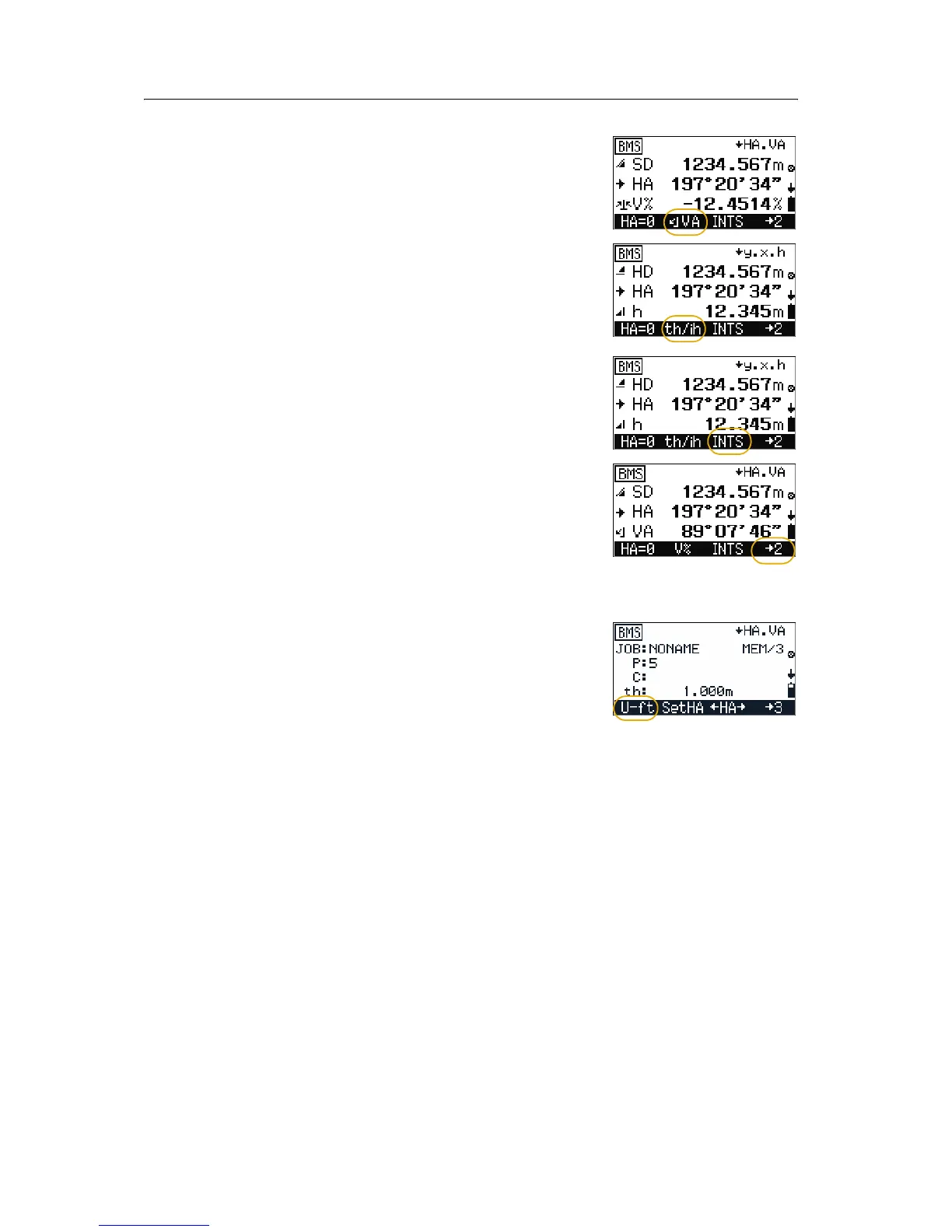
• To change VA to V %, press [F2] in either of the
first two screens.
• To set the target or instrument heights, go to the
th/ih input screen. Press [F2] th/ih in the
third and fourth screens. See Setting target height
(th) and instrument height (ih), page 60.
• To go to the INTS screen (Intersection function
menu), press
[F3] INTS. See Intersection, page 65.
• There are three sets of data. To display a different
set of data, press
[F4] until the required data
appears.
5.3 Changing the distance unit
To change the distance unit:
1. Press
[F4] in the BMS screen. The second set of
data appears.
2. To change the distance unit press
[F1].
– When the unit is set to meters, the softkey
is set to
U-ft.
– When the unit is set to US-feet, the softkey
is set to
I-ft.
– When the unit is set to international feet,
the softkey is set to
m.



 To Next Page