7 Coordinates
88 Trimble M3 Total Station User Guide
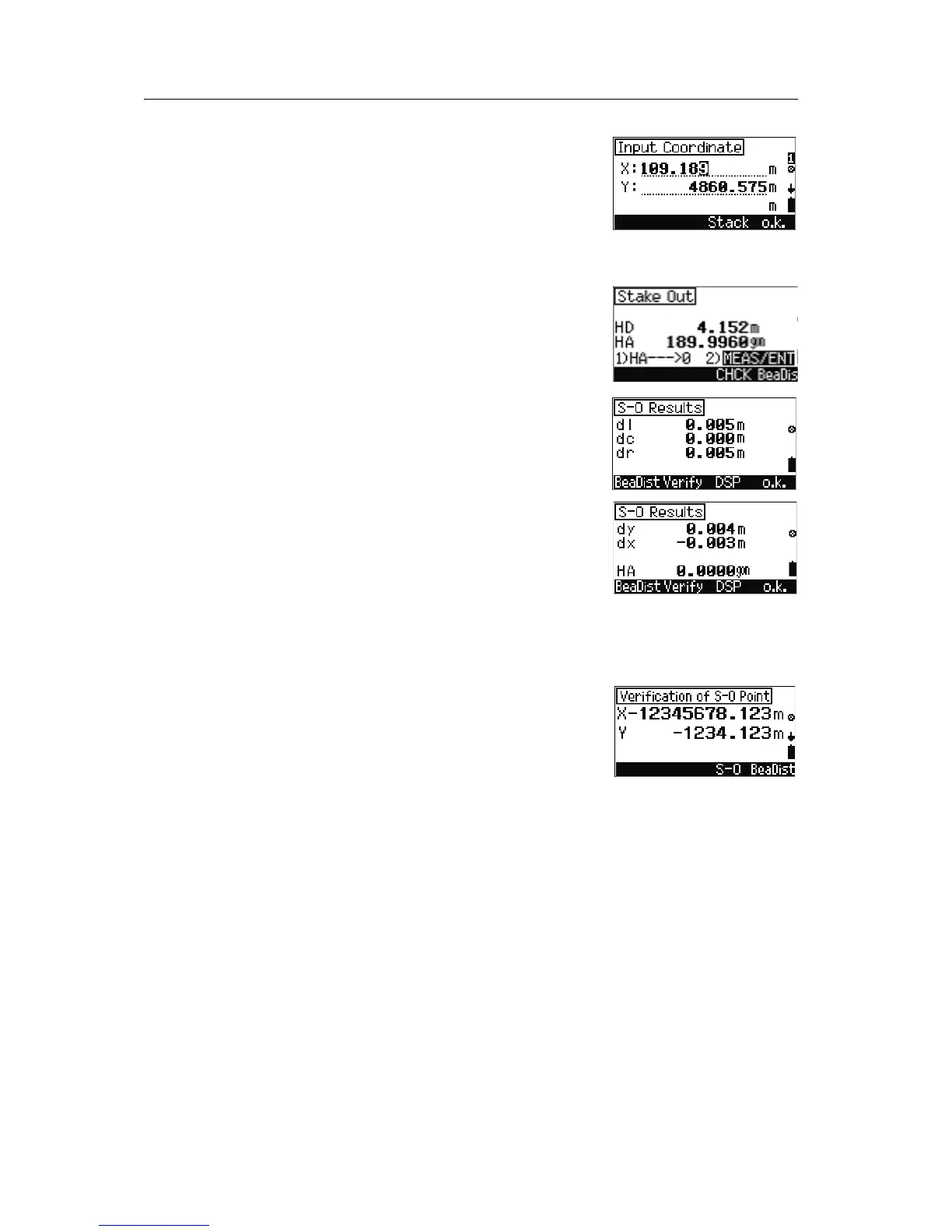
5. To input the coordinates do one of the following:
– Input the coordinate values
–Press
[F3] Stack to select from previously
input values.
–Press
[F4] o.k. to accept new or existing
coordinates.
6. To take a measurement to the point. sight the
point and press
[MEAS/ENT].
Note – If you are in the 3D coordinate stakeout screen
(
[3] YXZ from the Stakeout menu), press [F2] to input the
target height.
The stake out results appear on screen.
7. Do one of the following:
– To open the Verification screen, press
[F2]
Verify, see Verification screen, page 88.
– To change the screen display, press
[F3] DSP.
– To record the point and return to the new
point input screen, press
[F4] o.k..
Note – While a tracking measurement is taken, the softkey
shows DSP and END. To stop measurement, press
[F4]
END. The Verify and o.k. softkeys appear.
Verification screen
In the S-O Results screen, press
[F2] Verify.
Do one of the following:
• To return to the S-O Results screen, press [F3] S-
O
.
• To go to the Bearing Distances screen, press
[F4] BeaDist.



 To Next Page