8
Setup
B
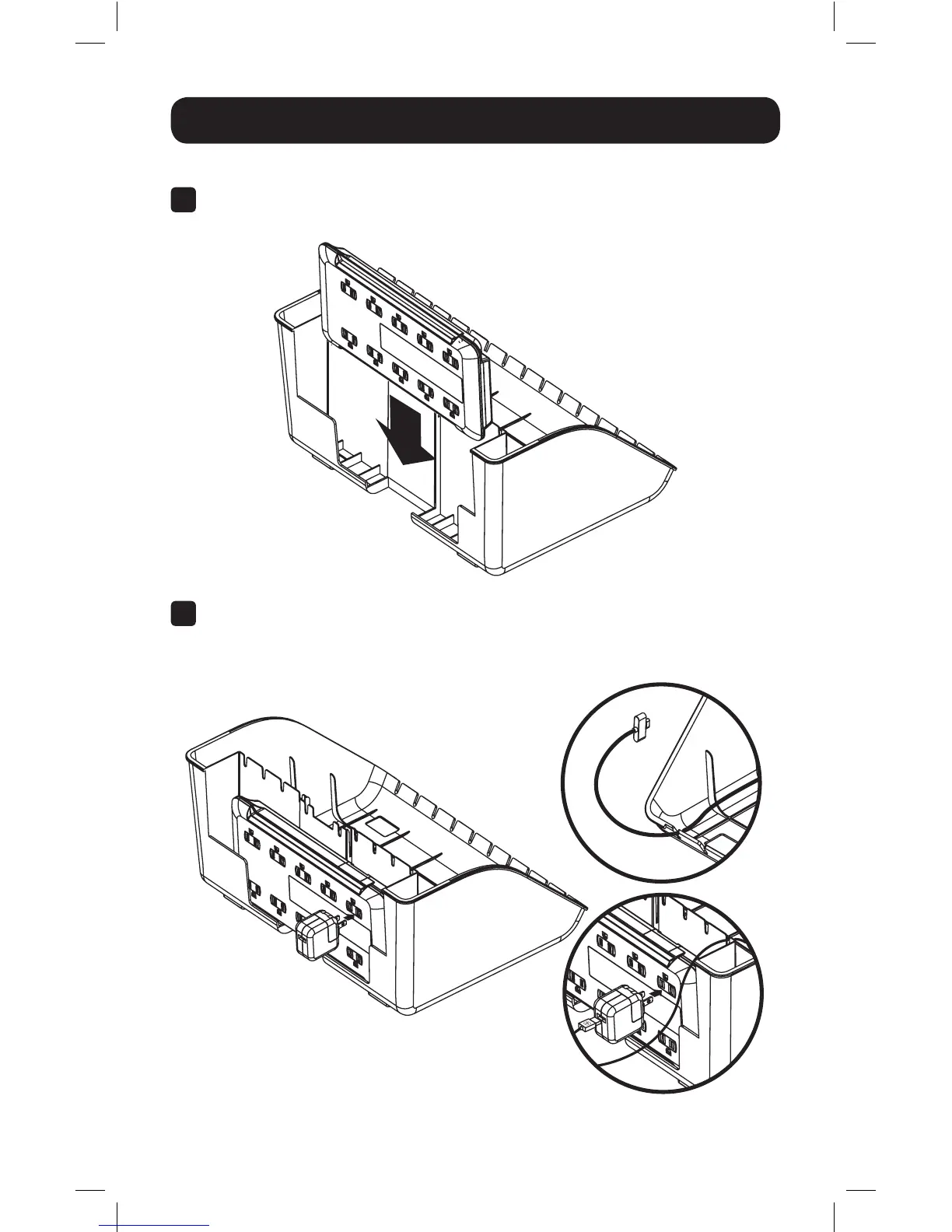
Connect the AC power cables appropriate for the number and type of
devices. The slots located at the top and front of the enclosure base allow for
convenient cable routing.
CSD1006AC Model
A
Insert the AC surge protector into the enclosure’s rear slots. Make sure the AC
outlets are facing outward.
17-01-037-93362C-EN.indd 8 1/5/2017 5:07:14 PM



 To Next Page