14
Adding or Replacing Internal Batteries
(continued)
Place the UPS System in Bypass Mode or completely turn it off,
depending on preference. See “Operation of Manual Bypass Switch”
or “Turning the UPS Off” in the Operation section.
1
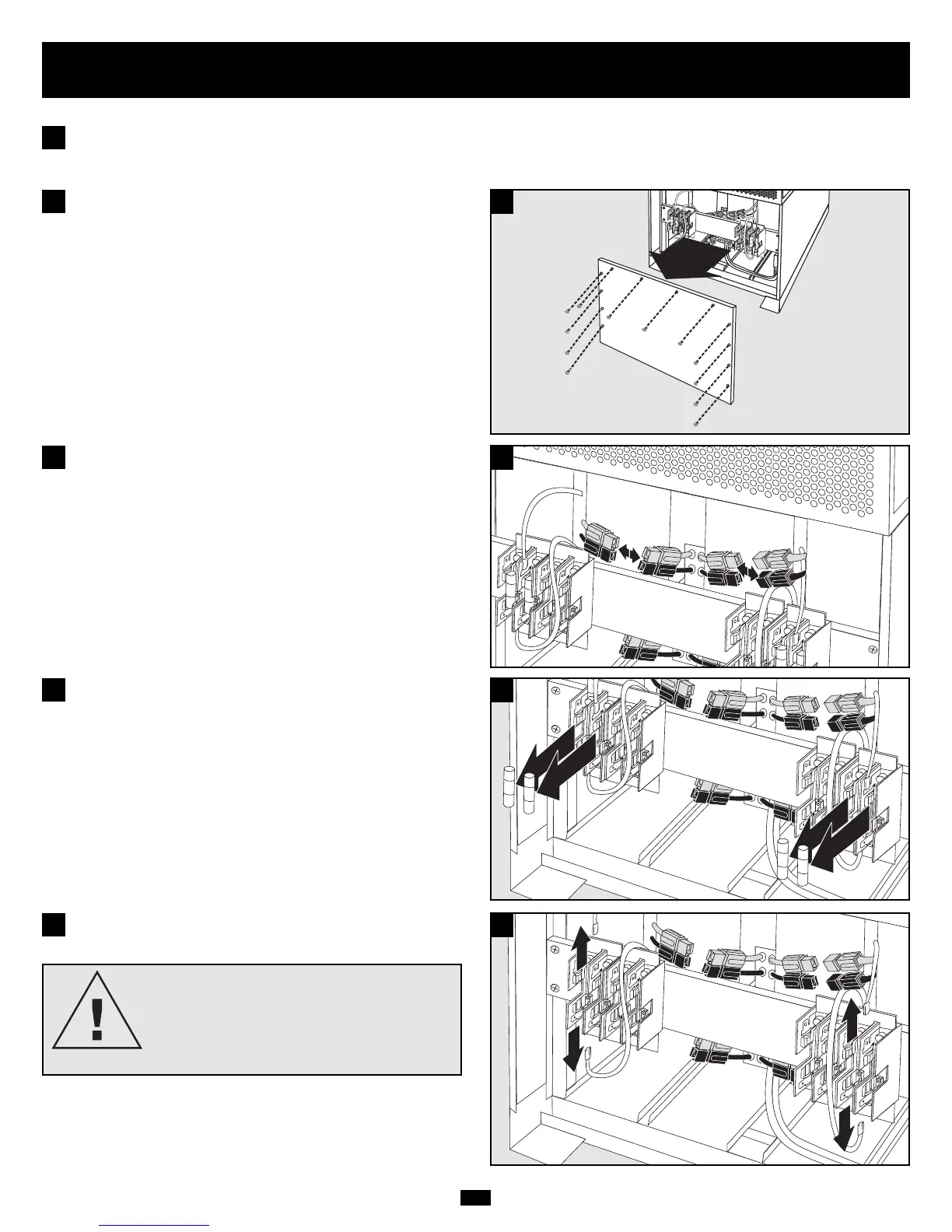
Remove battery access panel, located on the FRONT of the UPS
system.
2
2
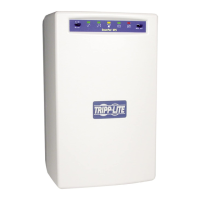
Disconnect the RED and BLACK cables attached to each internal
battery pack.
3
3
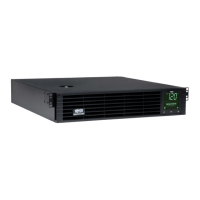
Remove the battery cartridge fuses from each fuse block.
Save the fuses.
4
4
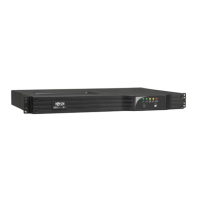
Disconnect the BLUE and WHITE jumper cables attached to each
fuse block.
5
5
CAUTION!
When disconnecting the jumper cables,
pull them straight away from the fuse block
with even force. Do not wiggle them side-
to-side, as this may damage the connector.




 To Next Page