15
Adding or Replacing Internal Batteries
(continued)
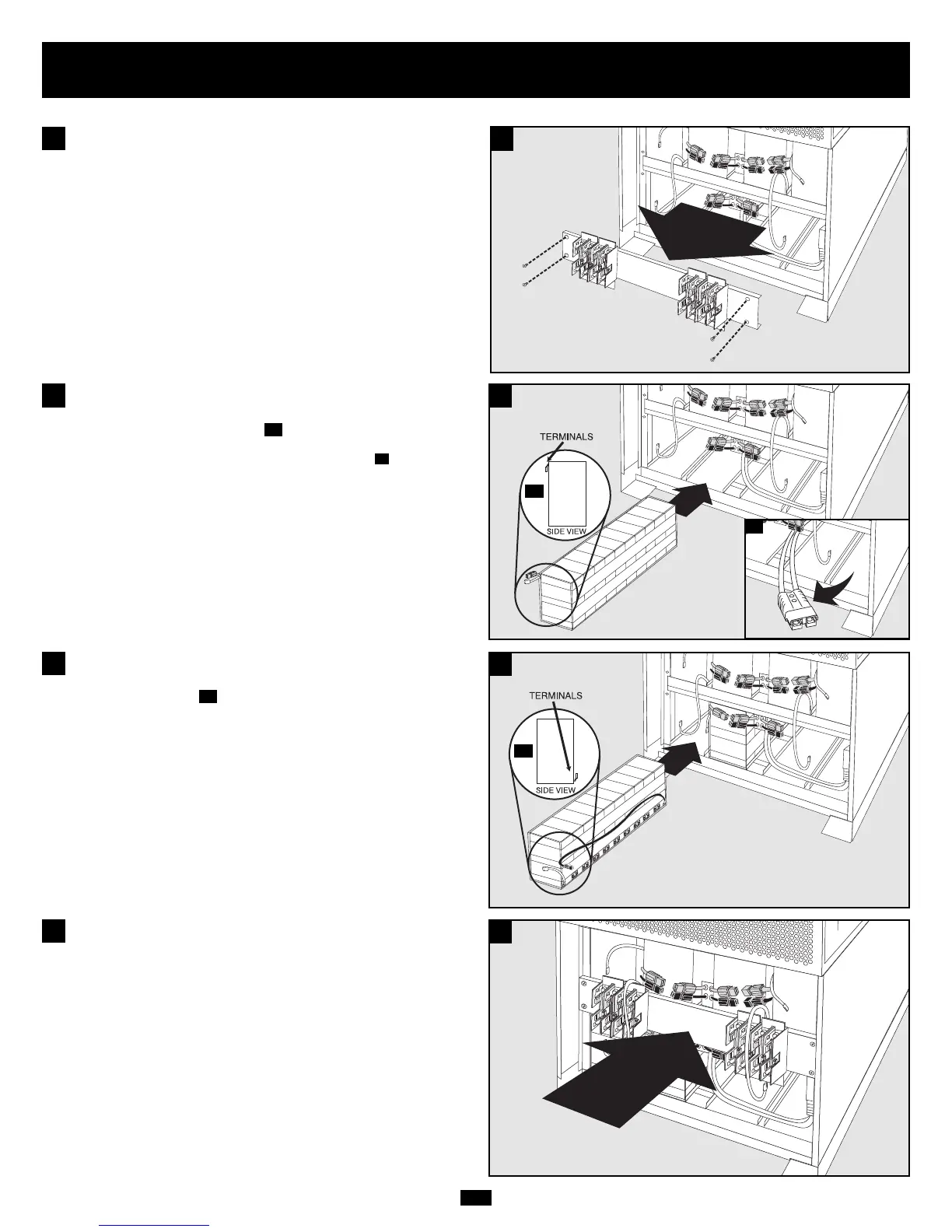
Slide the battery string with the RED cable into an empty slot within
the battery compartment as shown. Make sure that the string is
oriented as shown in the diagram .
NOTE: If the auxiliary battery connector is in the way, remove its mounting screw and
position the cable to allow adequate room to add the battery strings .
7B
7A
7
7
Slide the battery string with the BLACK cable next to it (on the left)
in the empty slot as shown. Make sure that the string is oriented as
shown in the diagram .
8A
8
8
7A
8A
7B
Remove the fuse block bracket.
6
6
Replace the fuse block bracket. Make sure printing on bracket is
oriented so it is readable.
9
9







 To Next Page