Operation Altimeter Product Manual
0286-SOM-00001, Issue: 09 33 © Tritech International Ltd.
When in free running mode, the altimeter is operating under its own control sending out data
and it requires no interrogation from the AltTest program.
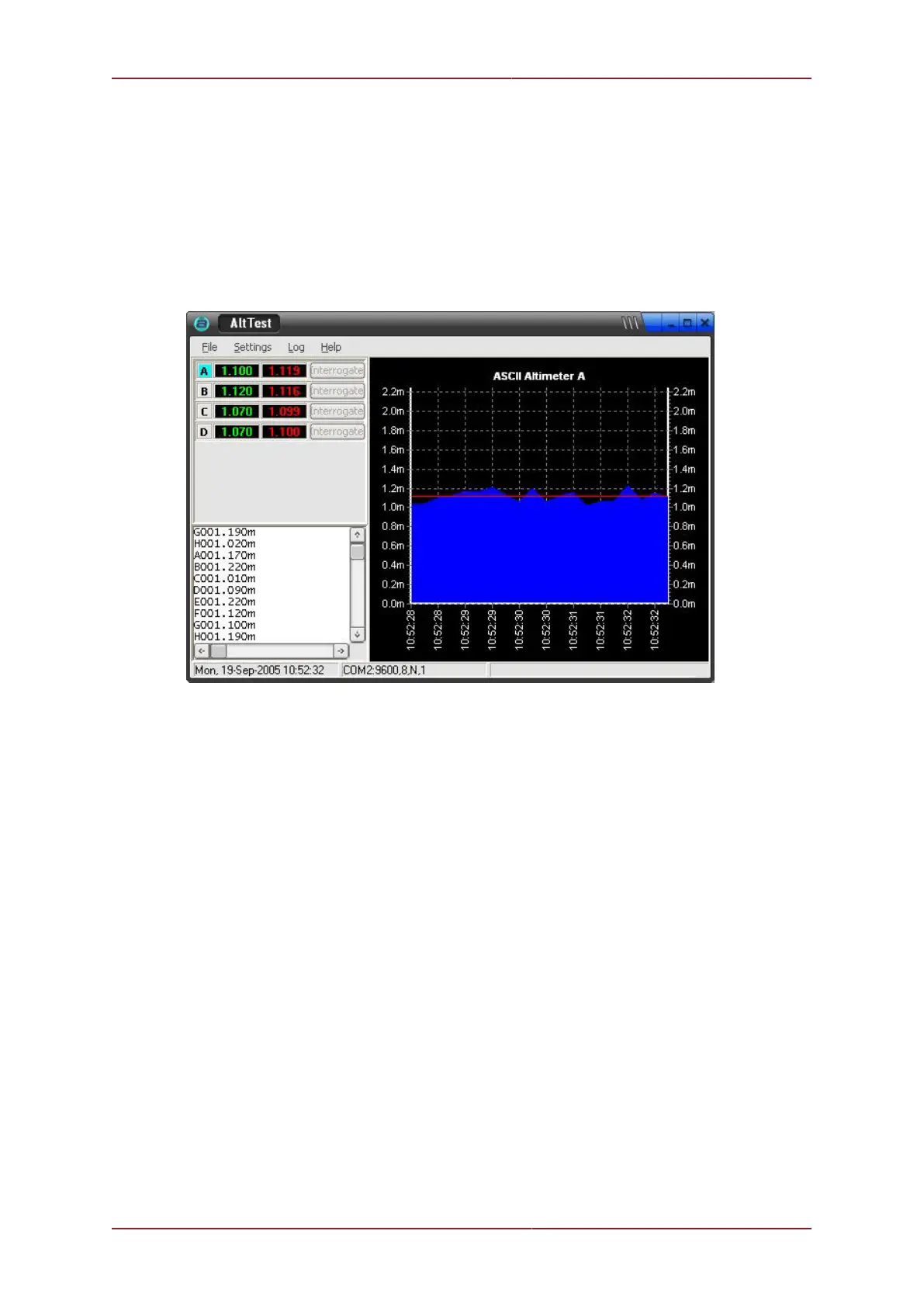
AltTest displays the current altitude of the altimeter and plots it on the chart. AltTest will
also calculate an average altitude using the specified number of data samples set from
the Options dialog and this is also displayed on the chart. The number of data samples
displayed on the chart will be the same number used to calculate the average altitude.
ASCII Interrogate Mode
Select ASCII Interrogate Mode for altimeters configured as ASCII addressable nodes (single
character ASCII address in the range A to H). The address is set by switch settings inside
the altimeter (see Chapter 6, Configuration) and are always triggered by interrogation (they
cannot free run).
ASCII addressable units may be connected together on an RS485 or multidrop RS232
communications link.
AltTest allows the user to select which addressable units are available for interrogation.
Nodes that have been selected are on the display. Each node can be manually interrogated
by pressing its Interrogate button. All available nodes can also be automatically
interrogated using the Auto Interrogate function at the rate defined from the Options
dialog.
AltTest displays the current altitude of the altimeter. It also calculates an average altitude
using a specified number of data samples which is also displayed. The altimeter data
displayed on the chart can be selected by clicking on an altimeter's address panel which
will then be highlighted. The number of data samples plotted on the chart will be the same
number used to calculate the average altitude.


 To Next Page