Operation Altimeter Product Manual
0286-SOM-00001, Issue: 09 34 © Tritech International Ltd.
Z Interrogate (Bathymetric) Mode
Select Z Interrogate mode for an altimeter configured to be interrogated by the character "Z"
or for an altimeter configured to be used as part of a SeaKing Bathymetric system.
AltTest allows the user to manually interrogate the altimeter by pressing the Interrogate
button. The altimeter can also be automatically interrogated using the Auto Interrogate
function at the rate defined by the settings in the Option dialog.
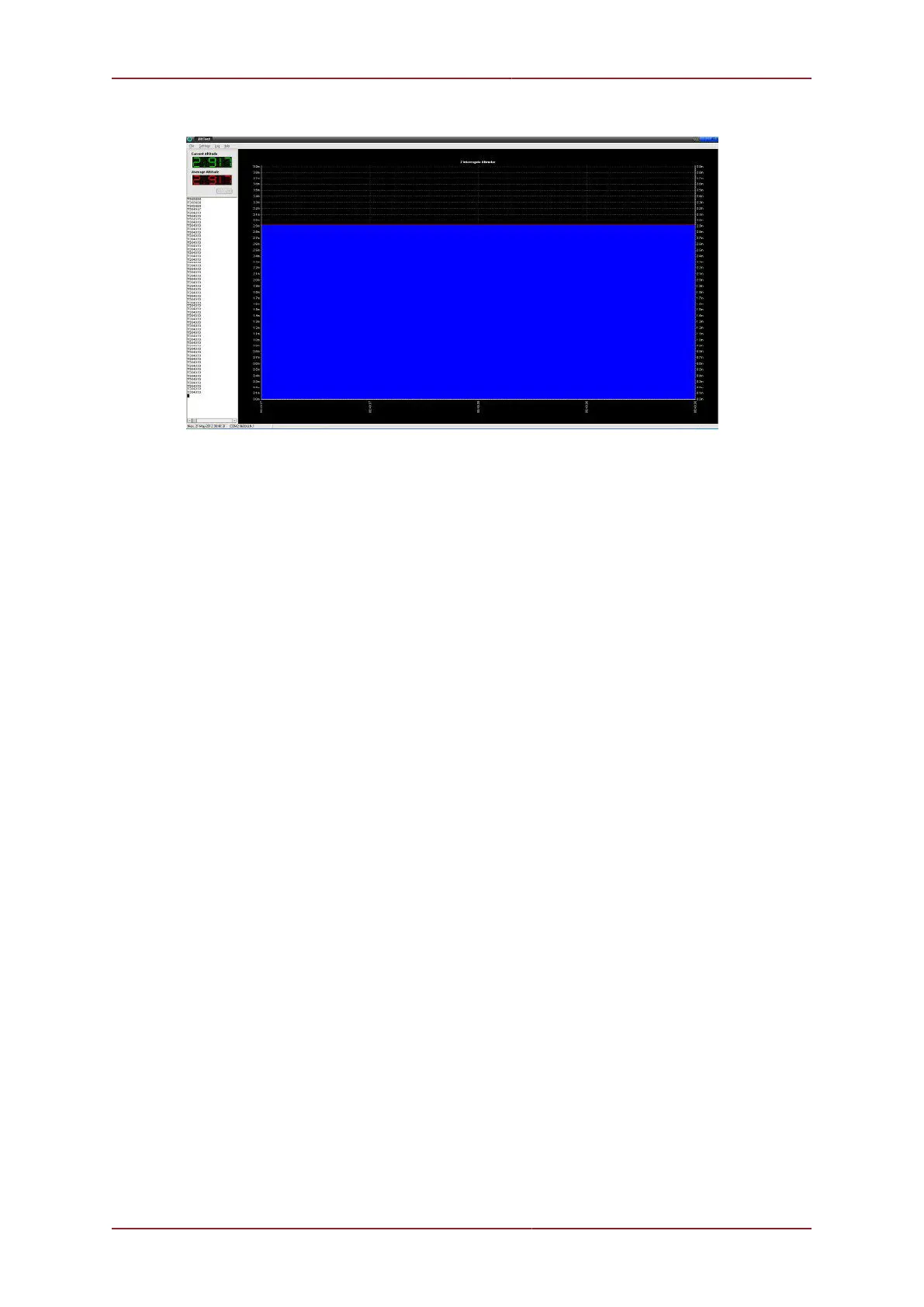
AltTest displays the current altitude of the altimeter and plots it on the chart. AltTest will
also calculate an average altitude using a specified number of data samples which is also
displayed and charted. The number of data samples plotted on the chart will be the same
number used to calculate the average altitude.
Regional Settings and AltTest
Under certain versions of Windows the regional settings can prevent the flow of data from
the serial port to AltTest. If the device has been connected correctly and is operating properly
but no data is displayed on the screen then the regional settings may be preventing AltTest
from processing the data.
This problem can be overcome using two methods:
1. From the Windows Control Panel open Regional & Language Options and set the
drop down list to English (United Kingdom) and press OK for the changes to take
effect. It will be necessary to restart the Seanet Pro application after this change has been
made.
2. If it is desired to continue using the existing regional settings then from the Regional &
Language Options dialog find the existing language settings and choose Customise.
Locate the setting for Decimal Symbol and make sure it is set to "."


 To Next Page