[5]
Connecting the Microphone
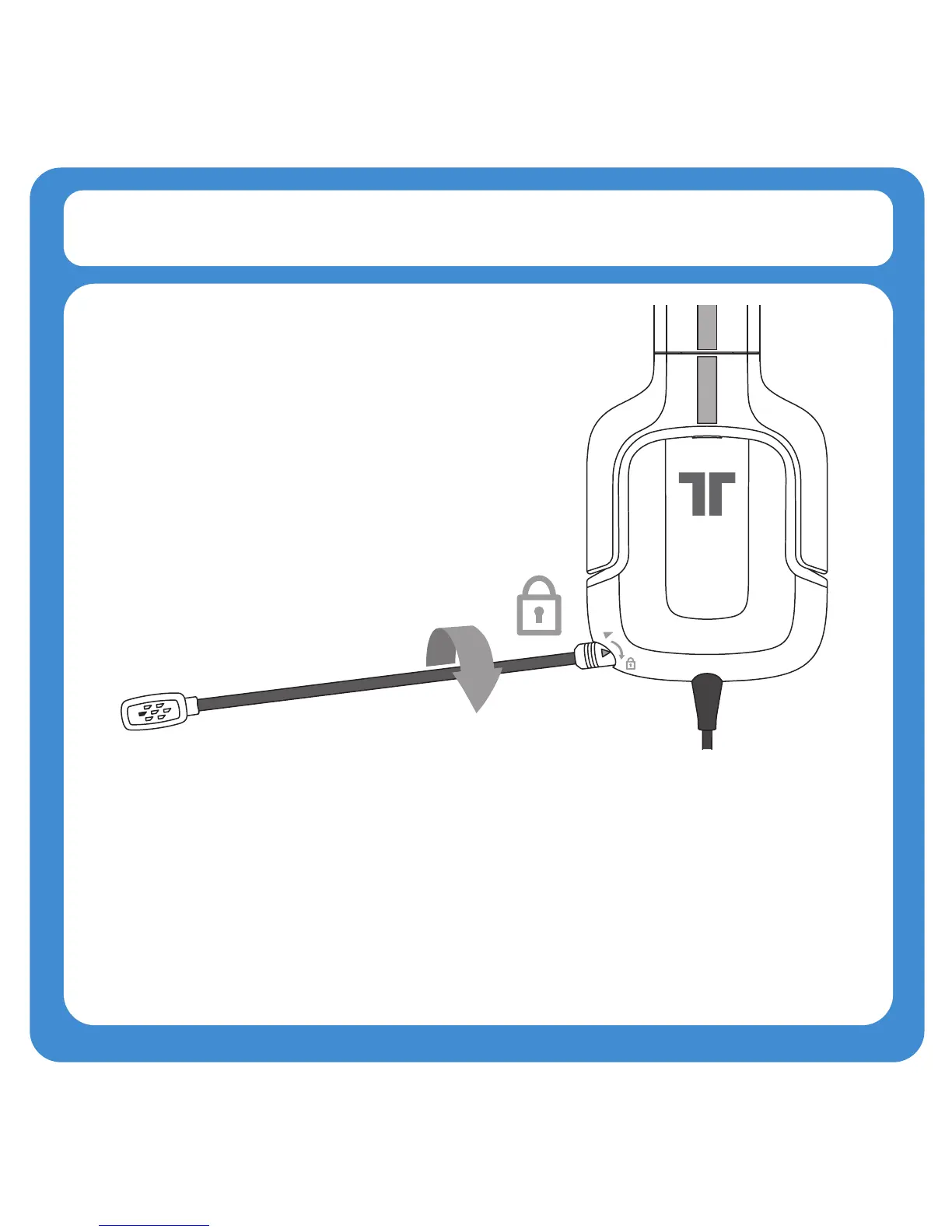
2. Insert the microphone into the port on the left earcup of the headset.
Firmly push it into place, and then twist it clockwise to lock it in place.
3. Reverse the above steps to remove the microphone.
4. With the microphone removed, insert the included microphone connector
plug to cover the port.



 To Next Page