Instruments
50
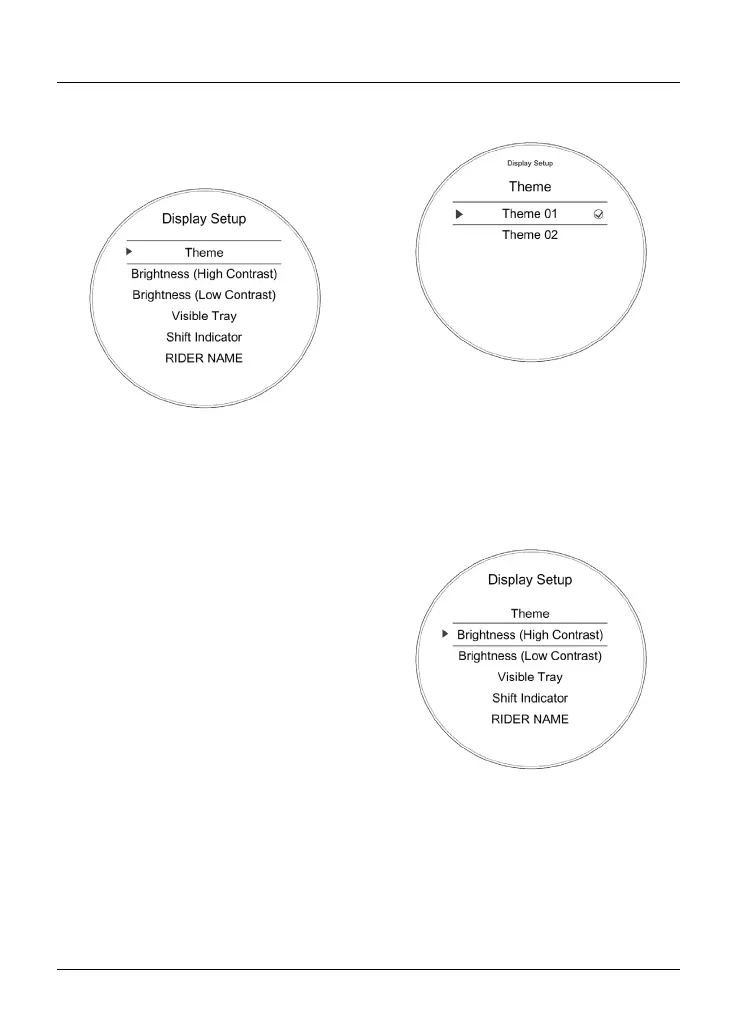
Display Setup Menu
From the Main menu, select Display
Setup and push the joystick button to
confirm.
The Display Setup menu allows access
to the following options:
• Theme
• Brightness (High Contrast)
• Brightness (Low Contrast)
• Visible Tray
• Shift Indicator
• Rider Name
• Language
• Units
• Clock
• Date.
Display Setup - Themes
To select a different theme:
• From the Display Setup menu, push
the joystick centre to display the
Theme menu.
• Press the joystick centre to select
the required theme.
The new theme will be shown and
saved. Press the HOME button to exit.
Display Setup - Brightness
The brightness feature allows the
screen’s brightness contrast to be
changed for day time and night time
riding.
There are two brightness options to
choose from; High Contrast and Low
Contrast.
To change the brightness level:
• From the Display Setup menu,
push the joystick down to select
Brightness (High Contrast) or
Brightness (Low Contrast).










 To Next Page