16
6. Infusion Operation
Equipment Installation
Mount the device on a pole or level surface, connect the power cord and check the AC indicator
lights. Battery will start to charge once AC power is connected.
Starting and Self-test
1) Press two seconds
2) After powering on, the system will automatically check the motor, sensor, battery, memorizer,
CPU communication, and alarm indicator.
3) After passing the self-test, pump enters into rate mode interface.
Warning: ● If self-test failed, pump cannot operate properly and cannot be used for patient
infusion, please contact Triumph Medical.
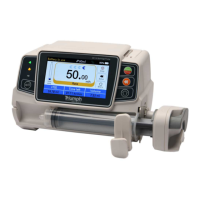
Install Syringe
(1) Hold the clutch and pull the slider to the right side.
(2) Pull the syringe fixture lever, turn
90°
right or left.
(3) Insert the syringe flange fully into slot (flange holder), turn syringe fixture lever
90° to
spring
back
to tighten the syringe.
(4) Hold the clutch and push left, release after it touches the plunger firmly.
(5) Put the extension line of syringe into the extension line hook.
(6) Confirm Syringe Brand/Size or if necessary Click『Setting』→『Commonly used Syringe
brand』to choose syringe brand.
Warning:
Recommend to use a syringe brand preinstalled in this syringe pump.
Make sure the syringe brand and size in the display screen is the same as the one in use.
Caution:
● Check to ensure no air bubbles in syringe.
● Make sure syringe is correctly installed. Otherwise accuracy will not assured and may do
harm to patient due to no infusion or over infusion due to a siphon.


 To Next Page