18
Bolus Application
In operation, Bolus functions have two operation modes: Manual bolus and Automatic bolus.
(1) Manual bolus: press and hold the 【Bolus】 button on the product panel. Pump will work
at the max flow rate of current syringe size, or set max bolus rate under setting interface. Release
the button, pump will go back to the previous set infusion rate.
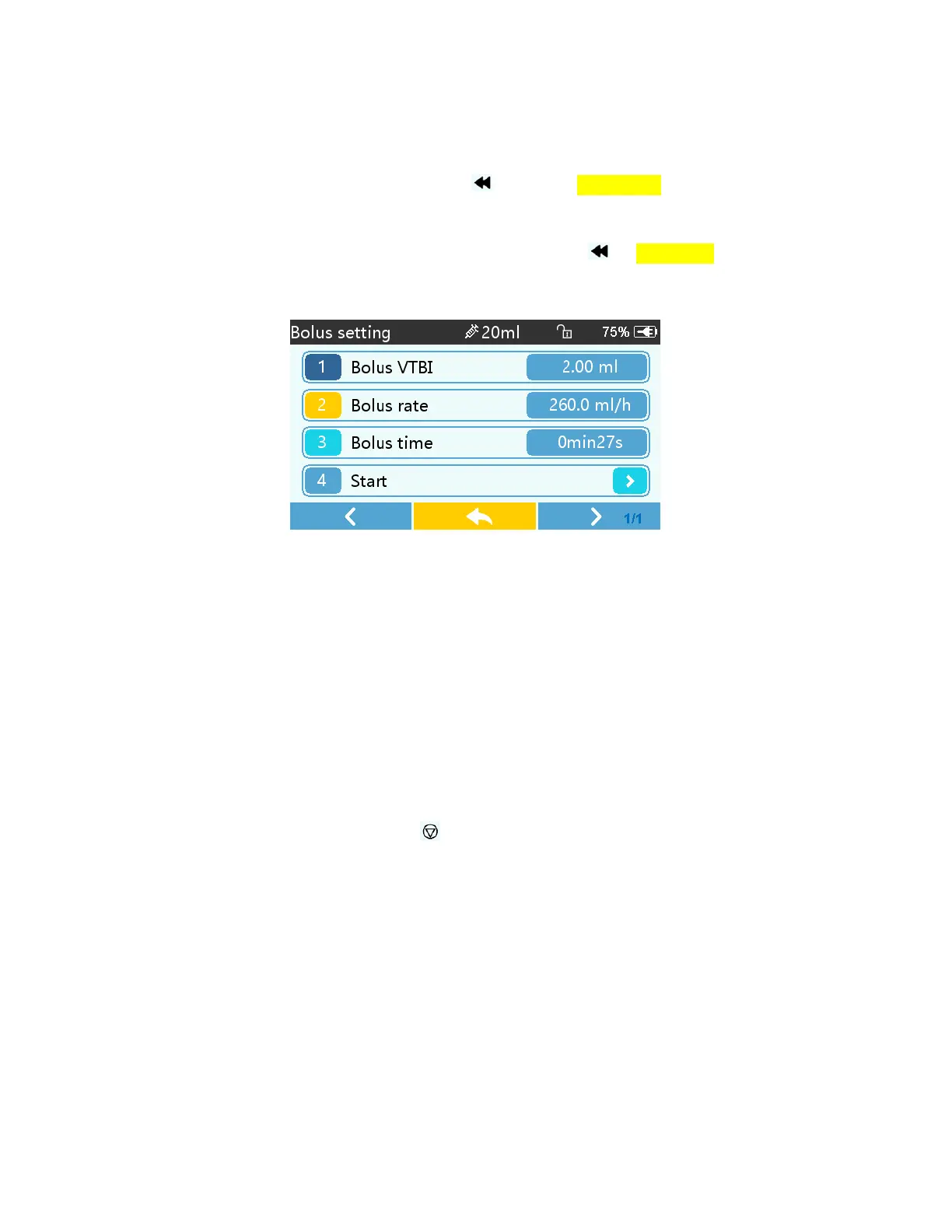
(2) Automatic bolus: Under the running interface, click『Bolus』 on touch screen. Set two
parameters among bolus infusion volume, rate and time, click『Start』. It will beep at every 1ml
infused. After bolus infusion is finished, the equipment goes back to the previous infusion rate.
Infusion
Completion
When remaining infusion time is near preset volume to be infused completion time, pump will
alarm (This alarm can be adjusted or turned off in settings). If you ignore it, the system will keep
alarming until VTBI is completed.
After VTBI completed, it activates VTBI infused alarm. If KVO function is ON, the equipment
automatically starts KVO function. Click 『OK』 in the alarm interface to stop KVO and
eliminate alarm.
The default working time of the KVO system is 30 minutes. After reaching that time, it will
activate a KVO completion alarm and stop infusion.
Stop
Infusion
During infusion or after infusion, click , infusion stop. It will return to the parameter setting
interface display.
Remove the syringe
Disconnect the extension line from the patient, then remove the syringe.


 To Next Page
 Loading...