21
Infusion Mode Setting
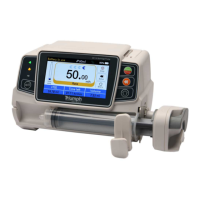
After starting the equipment and self-test, the equipment automatically enters into the rate mode
parameters setting interface. To select other modes, click『Menu』icon to enter into the main
interface. Click『Modes』icon to enter into the mode selection menu interface, and select preset
infusion mode.
Rate Mode
Under this mode set two parameters: Rate and VTBI (Volume to be infused). Set the two
parameters, and the system will automatically calculate the time parameter. If the VTBI is 0,
then the equipment works at the set rate till stopped with alarm.
Time Mode
Under this mode, set two parameters (Volume to be infused) and Time. The system will
automatically calculate the speed, speed = Volume(ml)
/
time(min).
Body Weight Mode
Under this mode, set the Weight (body weight), Conc. unit (concentration unit), Active agent (drug
mass), Volume (fluid volume), Dose rate, Dose unit, and VTBI.
The system will automatically calculate the flow rate from the specified dose rate (ug/kg/min,
mg/kg/min, ug/kg/h, mg/kg/h,…etc) according to related formula {dose rate × weight}/{Active
agent (drug mass)/Volume(fluid volume)}, and automatically calculate the time according to
(VTBI) /(flow rate).
Drug library mode
Under this mode, Select Drug, set the Weight (body weight), Conc. Unit (concentration unit),
Dose and VTBI (Volume to be infused. The speed will automatically be calculated according to
parameters. Drug Library Editable (see below in System Settings).


 To Next Page
 Loading...