8
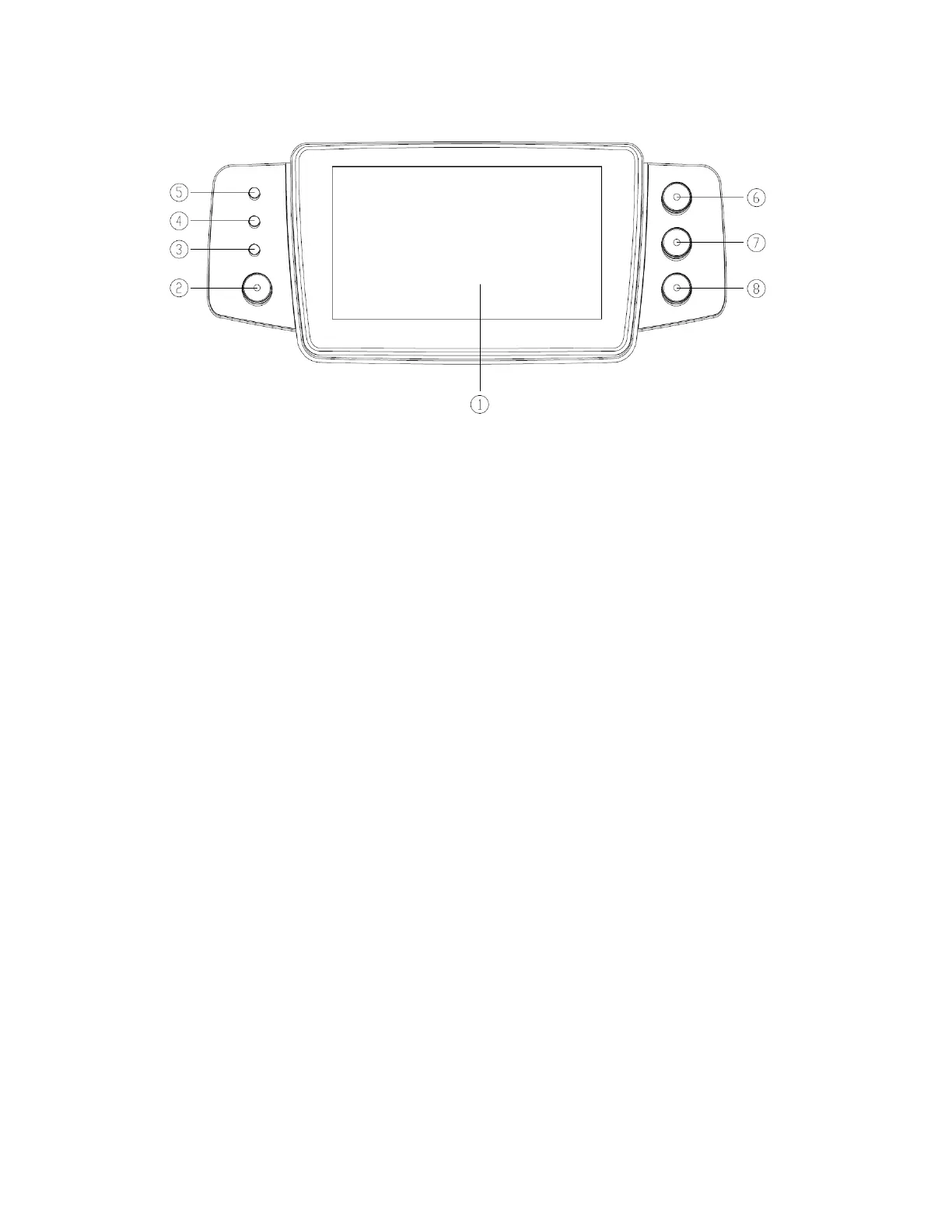
OPERATION PANEL
① Touch Screen
② 【Power】
Pump power switch, press and hold for 3 seconds to turn pump on, pump power off, and
standby selection button.
③ AC indicator light
When connecting with AC power supply, AC indicator lights on.
④ Alarm indicator light
While pump alarms, indicator light flashes, different levels indicate different frequency and
color, more information please refer to section 8 and 9.
⑤ Running lights
⑥ 【Start/stop】
⑦ 【Bolus/Purge】
⑧ 【Home】
Enter system home page.


 To Next Page