9
Display Screen
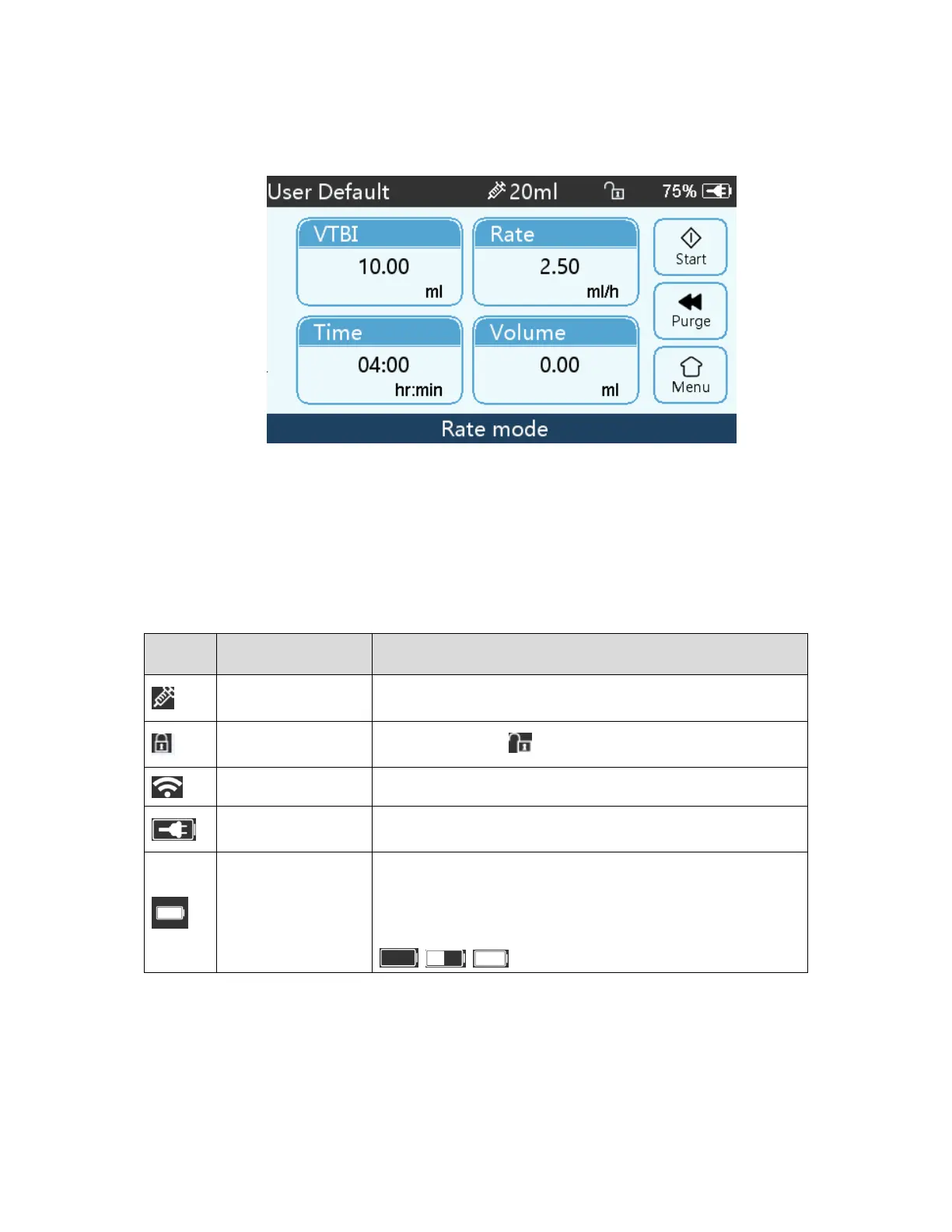
The display screen interface layout composes of title bar and typical interface.
Title Bar
Title bar displays real-time information and is not touchable, the left upper corner displays the name of
current editing parameter.
Title Bar Icon
Icon Paraphrase Description
Syringe apparatus
indication icon
Syringe apparatus indication icon
Lock screen
indication icon
Unlock state icon is
WIFI indication icon Indicate WIFI connection state.
Battery charging
indication icon
Display the current battery charging state
Battery status
indication icon
The percentage numerical value at the left side of the icon displays
the remained battery.
Since the remained battery may change, it may show the following
states:
Typical Interface
During pre-infusion and infusion, the typical interface will display the following: main interface, working
interface, alarm interface, prompt interface, control panel, parameters setting, input method, standby
interface etc.


 To Next Page