General Information
55
It is necessary to use a positive pedal
force to make sure there is a smooth
gear change.
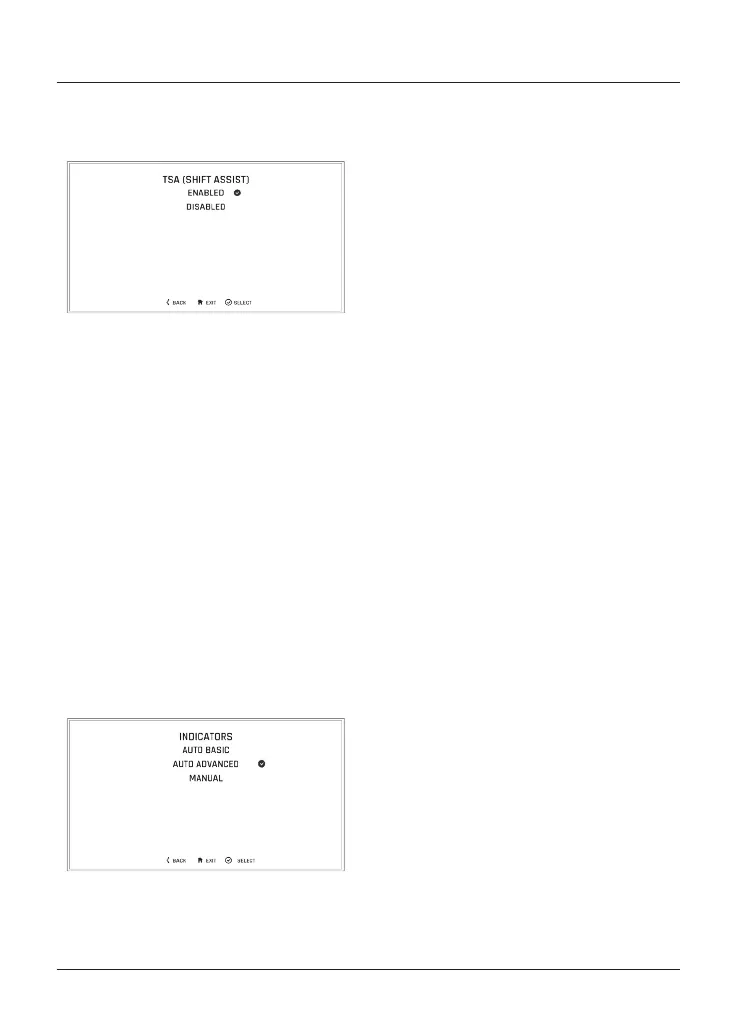
To enable/disable TSA:
• From the Bike Set Up menu, push
the joystick down to select TSA
(SHIFT ASSIST) and press the
joystick to confirm.
• Push the joystick down/up to scroll
between ENABLED and DISABLED.
• Press the joystick centre to confirm
the required selection.
• The display will then return to the
Bike Set Up menu.
For more information on Triumph Shift
Assist (TSA), see page 103.
Bike Set Up–Direction Indicators
The direction indicators can be set to
Auto Basic, Auto Advanced or Manual
mode.
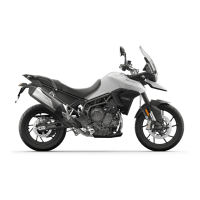
Selecting a Direction Indicators Mode
To select the required direction
indicators mode:
• From the Bike Set Up menu,
push the joystick down to select
INDICATORS and press the joystick
centre to confirm.
• Push the joystick down/up to
scroll between AUTO BASIC, AUTO
ADVANCED and MANUAL.
– Auto Basic – The self-cancelling
function is on. The direction
indicators will activate for eight
seconds and an additional 65
metres.
– Auto Advanced – The self-
cancelling function is on. A short
press activates the direction
indicators for three flashes.
A longer press activates the
direction indicators for eight
seconds and an additional 65
metres.
– Manual – The self-cancelling
function is off. The direction
indicators must be manually
cancelled using the direction
indicator switch.
• Press the joystick centre to confirm
the required selection.
• The display will then return to the
Bike Set Up menu.






 To Next Page