5
CHAPTER 2
The Display Controls
LCD Monitor Control Panel
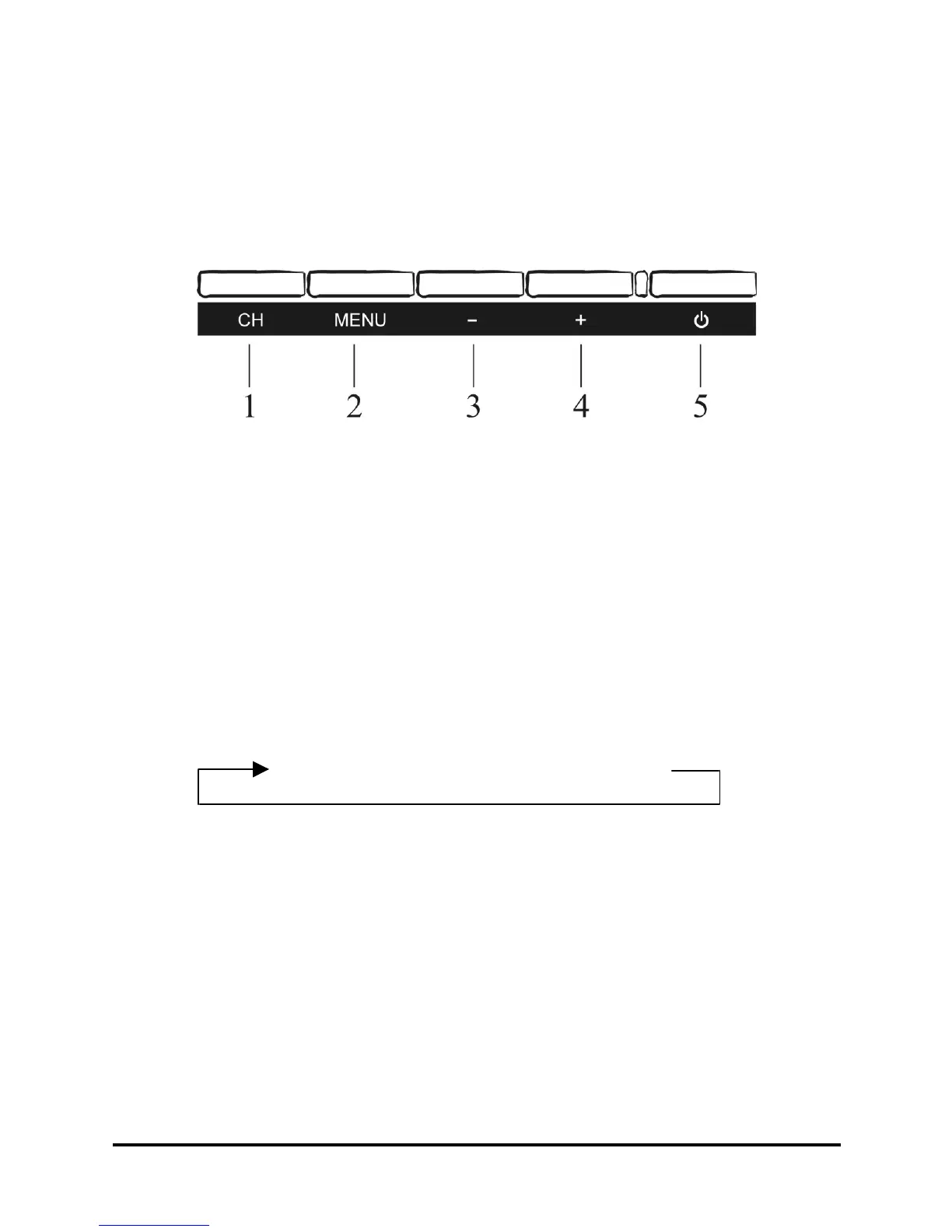
Figure 2-1: The LCD Monitor Panel
1: Button 1 select input channel and Exit hot-key button
2: OSD menu select and enter button
3: Scrolling down the highlight bar and decrease volume button
4: Scrolling up the highlight bar and increase volume button
5: Power Switch button
Adjusting the Monitor’s Display
Press “Button 1” to change the input source as follows sequence:
To access the OSD main menu, press “Menu” button. Once the OSD main menu
appears, use the “-” and “+” button to scrolling between the menu options. The option
that is currently selected is highlighted. Then press “Menu” button to enter either
adjustment or submenu.
VIDEOS-VIDEOVGADVI (For 19” only)



 To Next Page