Need help?
Do you have a question about the TRNDlabs FADER 2 and is the answer not in the manual?
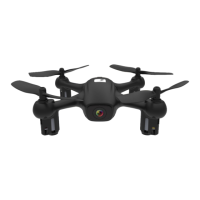
Identifies key components of the drone such as rotor blades and camera.
Details the components and controls of the drone's remote controller.
Instructions for charging the drone's battery using a USB cable.
Steps to install AAA batteries into the controller.
Instructions on how to open and use the mobile phone holder.
Instructions for taking off, landing, and emergency stopping the drone.
How to control the drone's altitude using the throttle stick.
Explains how to control the drone's direction (forward, backward, left, right).
Instructions for making the drone rotate left or right.
Guide on downloading and installing the TRNDlabs FADER2 mobile application.
Steps to connect the mobile phone to the drone via WiFi and the app.
Overview of features available within the mobile application.
How to return the drone to its starting point using the app.
Instructions on how to toggle the visibility of control buttons on the app screen.
How to capture still images using the drone's camera.
Instructions for recording video footage with the drone.
How to access and view captured photos and videos.
Steps for saving or removing media files from the drone.
How to activate and deactivate Virtual Reality mode.
Instructions for enabling or disabling the 1080p video preview.
Explains the drone's speed settings (Low, Medium, High) and how to change them.
Guide on how to perform 360-degree flips with the drone.
How to switch between Normal Mode and Headless Mode.
How to correct the drone's forward/backward and left/right drift.
How to correct the drone's unwanted rotation.
Steps to calibrate the drone for stable flight.
Important safety rules to follow when operating the drone.
Further safety advice, including handling small parts and radio interference.
Guidelines for safe handling and charging of the drone's battery.
Regulatory compliance details for the USA market.
Details of the product's one-year limited warranty coverage.
Procedure for requesting product repair or replacement under warranty.
Instructions on how to pack and ship the product for service.


 To Next Page
 General