EasyManua.ls Logo

Trojan PURSUIT 320 - User Manual

Trojan PURSUIT 320
20 pages
Print Icon
To Next Page IconTo Next Page
Loading...
www.trojanhealth.co.za
#
1
HOME
FITNESS
SOUTH AFRICA’S
SINCE
1981
0861 876526
0861 TROJAN
WARRANTY
TROJAN
MY SPACE MY TIME
®
CAUTION
READ ALL PRECAUTIONS AND
INSTRUCTIONS IN THIS MANUAL
BEFORE USING THIS EQUIPMENT
KEEP THIS MANUAL FOR
FUTURE REFERENCE
10166
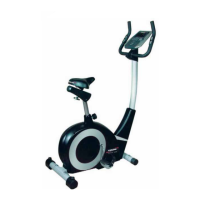
PURSUIT 320
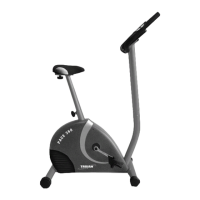
STATIONARY CYCLE
PURSUIT 320
CARE INSTRUCTION AND ASSEMBLY MANUAL
Question and Answer IconNeed help?

Do you have a question about the Trojan PURSUIT 320 and is the answer not in the manual?

Summary

Safety Instructions

Health Warning

Consult physician before starting exercise programs, especially if over 35 or inactive. Stop if feeling faint or in pain.

Access Control

Ensure equipment is in a supervised, access-controlled area. Keep children away and supervise them closely.

Installation Guidelines

Set up on a solid, level surface, indoors, with sufficient ventilation and space. Professional installation recommended.

Proper Usage Guidelines

Use equipment only as intended. Avoid improper or excessive exercise. Use one person at a time. Be mindful of balance.

Safety Instructions - Continued

Inspection and Maintenance

Do not use damaged equipment. Ensure all parts are tight. Check cables and accessories for wear. Contact service for repairs.

Operating Warnings

Instruct users on proper operation. Keep children away from moving parts. Wear proper footwear and avoid loose clothing.

User Weight Limitations

The TROJAN PURSUIT 320 is not to be used by persons weighing more than 110kg.

Electrical Safety

Keep power cord away from heat. Never use damaged cables or in wet areas. Ensure proper grounding.

Pre-Assembly Check List

Hardware List

Assembly Steps

Step 1: Attach Stabilizers

Attach front and rear stabilizers to the main frame using carriage bolts, washers, and nuts.

Step 2: Attach Seat Post

Attach the seat to the seat post and insert the seat post into the main frame. Add decorative cover and bellows.

Assembly Steps - Continued

Step 3: Attach Front Post and Cables

Attach the front post, connect sensor and tension cables, and secure with bolts and washers.

Step 4: Attach Handlebar

Attach the handlebar to the front post using a spacer, decoration cover, and wing knob.

Assembly Steps - Continued

Step 5: Attach Monitor

Attach the monitor to the front post bracket and connect the hand pulse wire.

Step 6: Attach Pedals

Attach pedal straps to pedals and then pedals to crank arms, noting correct threading for each.

Computer Functions

Quick Start

Start pedaling to begin. Adjust resistance with the dial. Time, distance, and calories count upwards.

Operational Procedures

Details on powering on/off and using the MODE button to cycle through functions or reset.

Operational Instructions

Explains the display functions: SCAN, TIME, SPEED, DISTANCE, CALORIES, and HEART RATE.

Battery Installation

Instructions for installing 2 AA batteries in the computer, with notes on battery types and mixing.

Fitness Tips and Techniques

Aerobic Exercise

Sustained activity using large muscles to improve heart and lung fitness. Part of a complete exercise routine.

Weight Training

Essential for toning, building, and strengthening muscles, and aiding fat loss. Consult physician before starting.

Muscle Chart

Illustrates lower body muscle groups developed by cycling and conditioned by the circulatory system.

Conditioning Guidelines

Exercise Intensity

Maintain heart rate between 65-85% of maximum for effective aerobic exercise. Adjust intensity to reach target heart rate.

Warm-Up and Cool-Down

Workout Guidelines

Each workout includes warm-up (5-10 min stretching/light exercise), training (20-30 min), and cool-down (5-10 min stretching).

Exercise Frequency

Plan three workouts per week with rest days. Increase to five workouts weekly after a few months. Make exercise regular.

Suggested Stretches

Details on performing stretches like Toe Touch, Hamstring, Calf/Achilles, Quadriceps, and Inner Thigh.

Frequently Asked Questions

Console Errors and Display Issues

Troubleshooting steps for incorrect readings, display problems, and dim LCD. Check connections, batteries, and lighting.

Pulse Reading Issues

Steps for no pulse reading or unstable data. Ensure proper hand contact with sensors and check wires.

Maintenance and Cleaning

Guidelines for cleaning the unit using a damp cloth and mild detergent. Wipe sweat after use to prevent damage.

Parts List

Exploded Drawing

Trojan 1 Year Warranty

Exclusions

Warranty does not cover damage from disaster, misuse, commercial use, incorrect installation, or normal wear and tear.

Waiver

Consumer waives other warranties and liabilities, including those for injury or loss arising from product use.

Trojan 1 Year Warranty - Continued

Proof of Purchase

Claims require proof of purchase or warranty number. Contact call centre or website for warranty numbers.

Trojan Repairs Procedure

Procedure for Repairs

Steps for reporting faults, contacting service, and arranging home repair or service centre visits.

Cost of Repairs

Details on free repairs under warranty, costs for non-covered items, and out-of-warranty repair expenses.

Summary

Safety Instructions

Health Warning

Consult physician before starting exercise programs, especially if over 35 or inactive. Stop if feeling faint or in pain.

Access Control

Ensure equipment is in a supervised, access-controlled area. Keep children away and supervise them closely.

Installation Guidelines

Set up on a solid, level surface, indoors, with sufficient ventilation and space. Professional installation recommended.

Proper Usage Guidelines

Use equipment only as intended. Avoid improper or excessive exercise. Use one person at a time. Be mindful of balance.

Safety Instructions - Continued

Inspection and Maintenance

Do not use damaged equipment. Ensure all parts are tight. Check cables and accessories for wear. Contact service for repairs.

Operating Warnings

Instruct users on proper operation. Keep children away from moving parts. Wear proper footwear and avoid loose clothing.

User Weight Limitations

The TROJAN PURSUIT 320 is not to be used by persons weighing more than 110kg.

Electrical Safety

Keep power cord away from heat. Never use damaged cables or in wet areas. Ensure proper grounding.

Pre-Assembly Check List

Hardware List

Assembly Steps

Step 1: Attach Stabilizers

Attach front and rear stabilizers to the main frame using carriage bolts, washers, and nuts.

Step 2: Attach Seat Post

Attach the seat to the seat post and insert the seat post into the main frame. Add decorative cover and bellows.

Assembly Steps - Continued

Step 3: Attach Front Post and Cables

Attach the front post, connect sensor and tension cables, and secure with bolts and washers.

Step 4: Attach Handlebar

Attach the handlebar to the front post using a spacer, decoration cover, and wing knob.

Assembly Steps - Continued

Step 5: Attach Monitor

Attach the monitor to the front post bracket and connect the hand pulse wire.

Step 6: Attach Pedals

Attach pedal straps to pedals and then pedals to crank arms, noting correct threading for each.

Computer Functions

Quick Start

Start pedaling to begin. Adjust resistance with the dial. Time, distance, and calories count upwards.

Operational Procedures

Details on powering on/off and using the MODE button to cycle through functions or reset.

Operational Instructions

Explains the display functions: SCAN, TIME, SPEED, DISTANCE, CALORIES, and HEART RATE.

Battery Installation

Instructions for installing 2 AA batteries in the computer, with notes on battery types and mixing.

Fitness Tips and Techniques

Aerobic Exercise

Sustained activity using large muscles to improve heart and lung fitness. Part of a complete exercise routine.

Weight Training

Essential for toning, building, and strengthening muscles, and aiding fat loss. Consult physician before starting.

Muscle Chart

Illustrates lower body muscle groups developed by cycling and conditioned by the circulatory system.

Conditioning Guidelines

Exercise Intensity

Maintain heart rate between 65-85% of maximum for effective aerobic exercise. Adjust intensity to reach target heart rate.

Warm-Up and Cool-Down

Workout Guidelines

Each workout includes warm-up (5-10 min stretching/light exercise), training (20-30 min), and cool-down (5-10 min stretching).

Exercise Frequency

Plan three workouts per week with rest days. Increase to five workouts weekly after a few months. Make exercise regular.

Suggested Stretches

Details on performing stretches like Toe Touch, Hamstring, Calf/Achilles, Quadriceps, and Inner Thigh.

Frequently Asked Questions

Console Errors and Display Issues

Troubleshooting steps for incorrect readings, display problems, and dim LCD. Check connections, batteries, and lighting.

Pulse Reading Issues

Steps for no pulse reading or unstable data. Ensure proper hand contact with sensors and check wires.

Maintenance and Cleaning

Guidelines for cleaning the unit using a damp cloth and mild detergent. Wipe sweat after use to prevent damage.

Parts List

Exploded Drawing

Trojan 1 Year Warranty

Exclusions

Warranty does not cover damage from disaster, misuse, commercial use, incorrect installation, or normal wear and tear.

Waiver

Consumer waives other warranties and liabilities, including those for injury or loss arising from product use.

Trojan 1 Year Warranty - Continued

Proof of Purchase

Claims require proof of purchase or warranty number. Contact call centre or website for warranty numbers.

Trojan Repairs Procedure

Procedure for Repairs

Steps for reporting faults, contacting service, and arranging home repair or service centre visits.

Cost of Repairs

Details on free repairs under warranty, costs for non-covered items, and out-of-warranty repair expenses.

Trojan PURSUIT 320 Specifications

General IconGeneral
Frame MaterialAluminum
Number of Gears24
BrakesTektro Mechanical Disc
Brake TypeMechanical Disc Brakes
StemAlloy
SeatpostAlloy

Related product manuals