11
Distance setting menyen
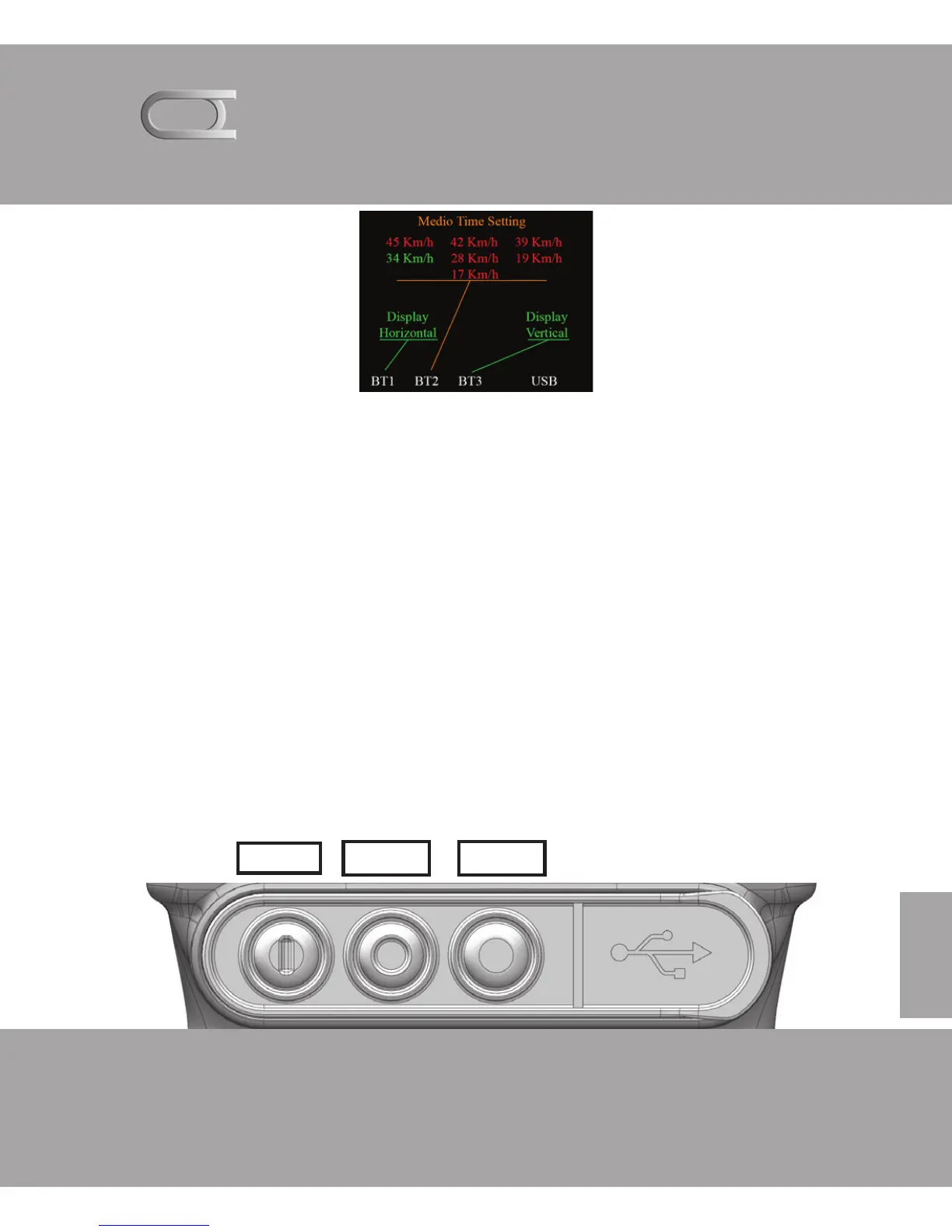
By and pressing BT2 drag km time to the speed you want the
clock to save from. Press BT2 intill 17 Km / h turns green. The
clock will now save time at every 400 m when the storage is
on and the speed is over 17 km / h. About storage is on or off
appears in the main display at bottom left.
Next thing to be selected is the display of the main display.
BT1 choose horizontal viewing as standard / type recommended
viewing.
BT2 Sets tracker vertical vining, some prefer this view when
riding.



 To Next Page