19
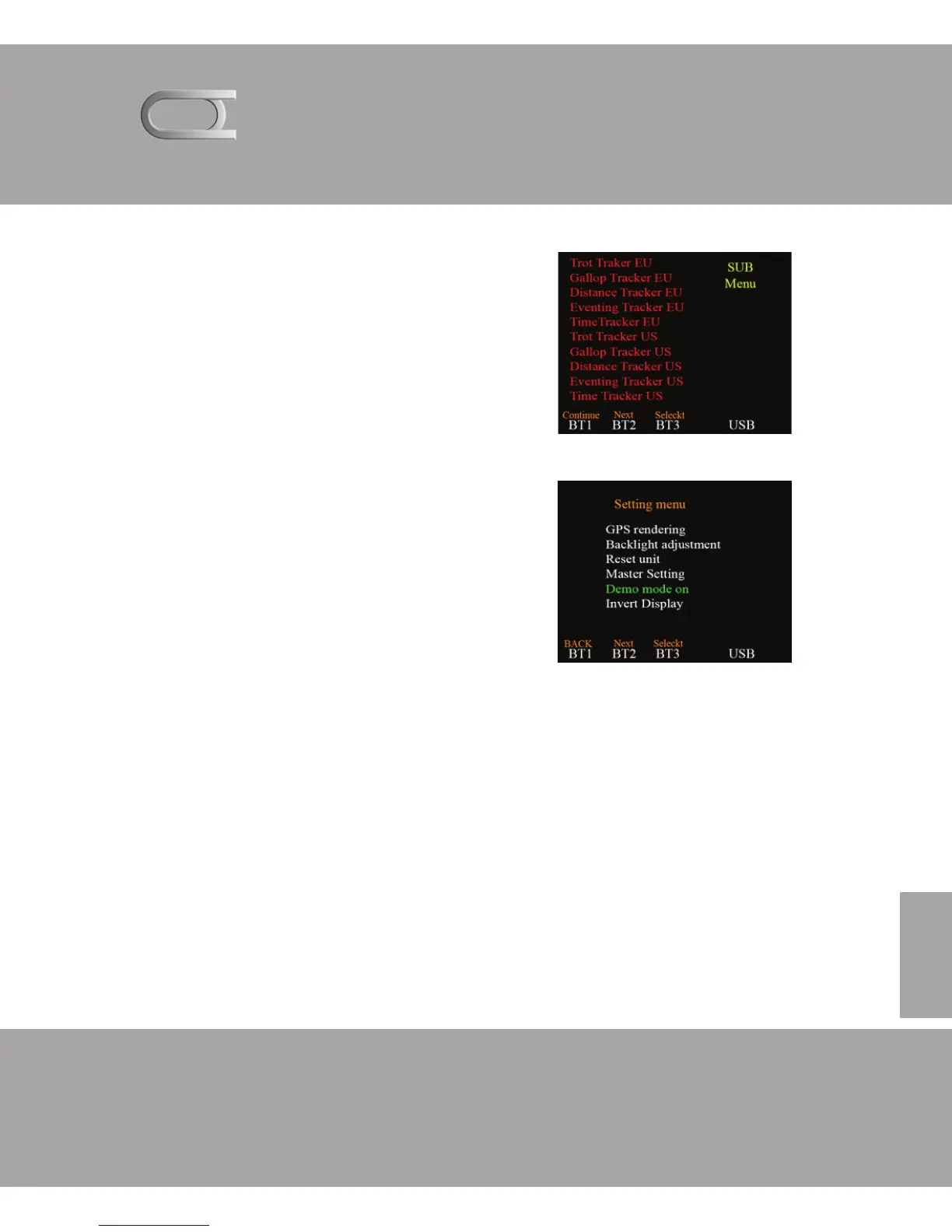
SUB MENU
By and select sub menu in the
Master setting menu gets you
into a sub menu.
GPS rendering: displays GPS string
Backlight adjustment: adjust light
Reset unit: reset the unit
Master Setting: menu image
Demo mode: on or off
Invert Display: The background color
change
GPS rendering: displays GPS string
Demo mode allows you to see how the clock works with pre
programmed GPS signals.
Invert display Provides the ability to change the background
and the white and white font to black. This feature some say
that works well in direct sunlight. (And a good nights and
adjust the lighting to the max in direct sunlight)



 To Next Page