8 EN
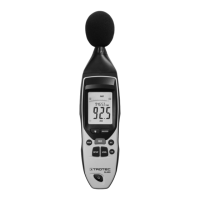
digital sound level meter SL400
Setting the HOLD function
By use of the HOLDfunction you can retain the currently
measured value.
Please proceed as follows to set the HOLDfunction:
1. Press the HOLD button(13).
ð The HOLD indication(25) appears on the display.
ð The measured value display(23) will be frozen.
2. Press the HOLD button(13) again.
ð The currently measured value is indicated.
ð The HOLD indication (25) disappears.
Setting the time weighting
You can choose between a(FAST) and(SLOW) time weighting.
• FAST: 125ms (real-time signal evaluation)
• SLOW: 1s (average signal evaluation)
Please proceed as follows to set the time weighting:
1. Press the F/S button(9) until the desired type of time
weighting (FAST17 or SLOW19) is indicated on the
display.
Switching the background illumination on or off
The device comes with an optionally selectable background
illumination.
Please proceed as follows to switch the background illumination
on or off:
1. Press the button for background illumination(14) to switch
the background illumination on or off.
Setting the automatic switch-off
The device comes equipped with an automatic switch-off
function and switches off automatically if no button was pressed
for approx.15min.
Please proceed as follows to activate or deactivate the
automatic switch-off function:
1. Press the SETUP button(11).
ð The indication for automatic switch-off(30) appears on
the display.
ð The automatic switch-off function is activated.
2. Press the SETUP button(11) again to deactivate the
automatic switch-off function.
Setting the time and date
You can adjust the time and date for the device.
You can save the settings at any time and exit the menu by
means of the HOLD button(13).
To do so, please proceed as follows:
ü The device is switched off.
1. Press and hold the SETUP button(11).
2. Switch the device on.
ð The TIME indication(22) briefly appears on the display.
3. Release the SETUP button(11).
ð The DATE indication(31) appears on the display. Also
indicated is the current date in the year-month format
as well as the day in the measured value display.
4. Press the SETUP button(11) again.
ð The TIME indication(22) and the set minutes are
displayed.
5. Press the LEVEL button(10) to adjust the minutes.
6. Press the SETUP button(11) again.
ð The TIME indication(22) and the set hours are
displayed. h-P stands for P.M. and h-A for A.M.
7. Press the LEVEL button(10) to adjust the hours.
8. Press the SETUP button(11) again.
ð The DATE indication(31) and the set day are displayed.
9. Press the LEVEL button(10) to change the day.
10. Press the SETUP button(11) again.
ð The DATE indication(31) and the set month are
displayed.
11. Press the LEVEL button(10) to change the month.
12. Press the SETUP button(11) again.
ð The DATE indication(31) and the set year are displayed.
13. Press the LEVEL button(10) to change the year.
14. Press the HOLDbutton(13) to save the new time and date
settings. If you do not want to save the settings made for
time and date, press the SETUP button(11) again whilst in
the display for setting the year.
ð The indication rSt appears on the display.
15. To reset the settings for time and date to the factory
default, press the HOLD button(13).
16. In order to return to the menu for setting time and date,
press the SETUP button(11) when rSt is displayed.
ð The next setting corresponds to the menu for adjusting
the current date as described in step3.


 To Next Page