14 EN
dehumidifier TTK 26 E
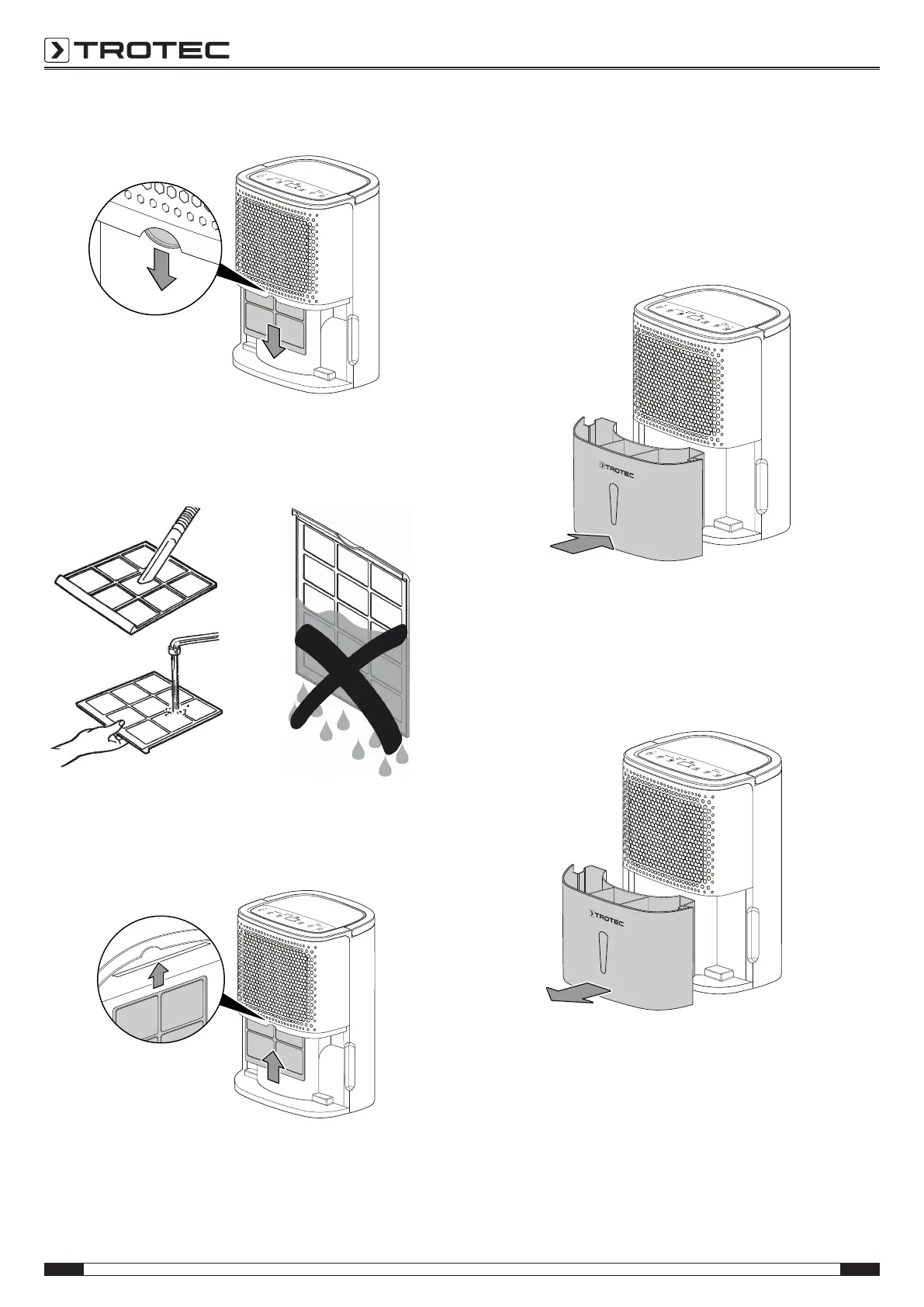
2. Remove the air filter from the device.
3. Clean the filter using a slightly damp, soft, lint-free cloth. If
the filter is heavily contaminated, clean it with warm water
mixed with a neutral cleaning agent.
4. Allow the filter to dry completely. Do not insert a wet filter
into the device!
5. Reinsert the air filter into the device.
6. Refit the condensation tank into the device.
Make sure not to damage the float when inserting or
removing the condensation tank. In doing so, make sure
that the float is positioned correctly.
In doing so, make sure that the condensation tank is
inserted correctly, for otherwise the device cannot be
switched back on.
Emptying the condensation tank
If the condensation tank is full or not installed correctly, the
Tank full LED(10) will be illuminated. The compressor and fan
will switch off.
1. Take the condensation tank out of the device.



 To Next Page